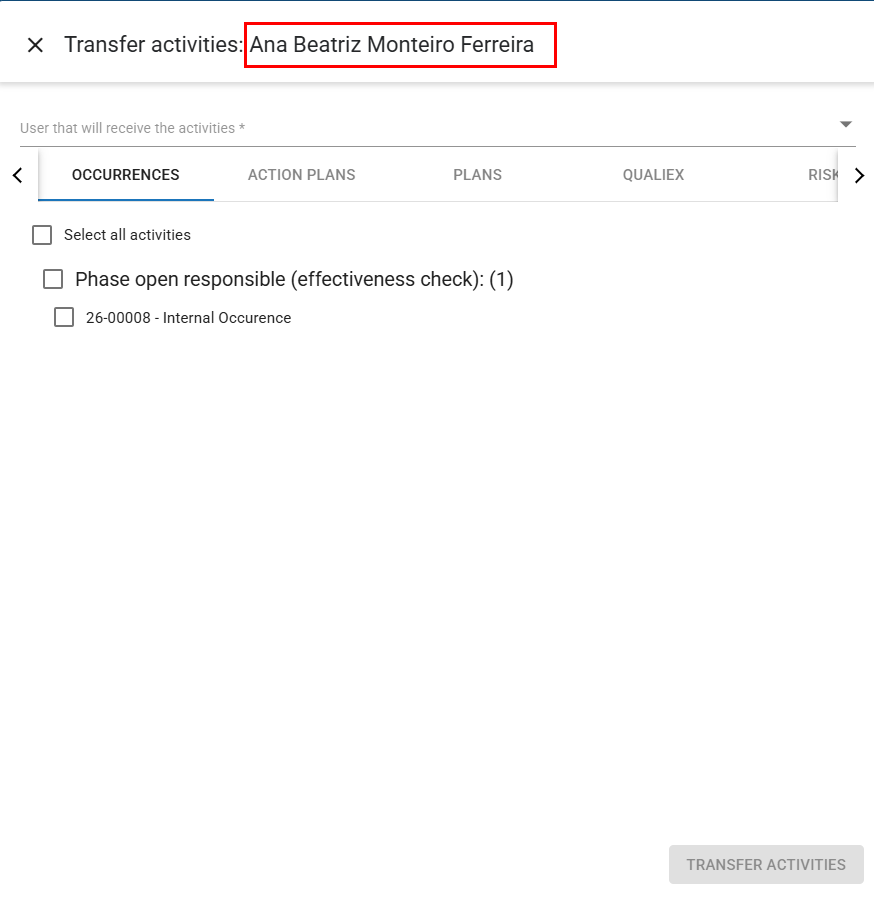
If an employee who uses Qualiex is absent due to vacation, medical leave, or has been dismissed, it is possible to transfer that employee’s pending tasks.
Currently, it is only possible to transfer activities from the Occurrences and Plans modules.
To transfer activities from one employee to another, select the employee and then click Transfer activities.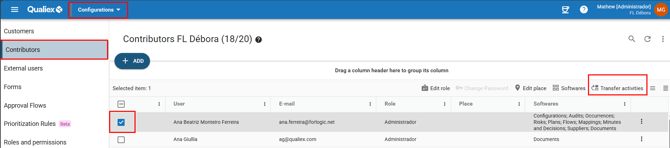
In the new tab that opens, search for the user who will receive the activities, then select each task that should be transferred, and click on 
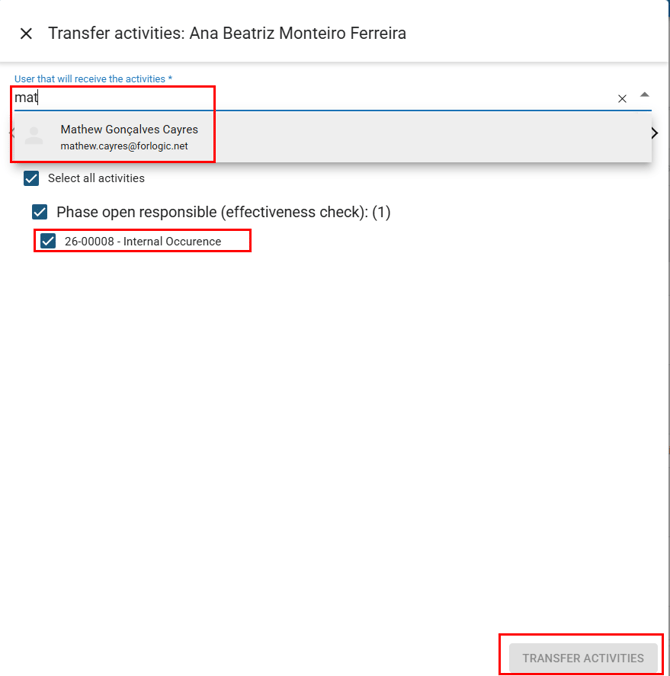
Once this is done, the activities will be successfully transferred to the selected employee.
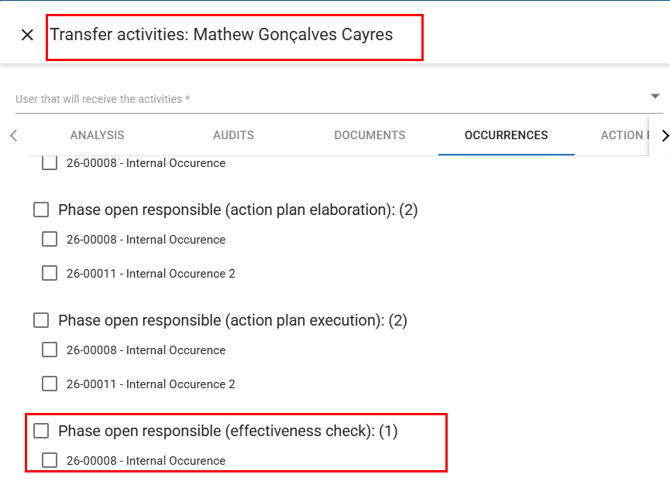
Deactivating a user who has pending activities in the Occurrences module
It is important to note that if the user has pending activities in the Occurrences module, they can only be deactivated in the unit after all activities assigned to them have been transferred to another employee.
When attempting to deactivate an employee in this situation, the following message will be displayed:

And you will be automatically redirected to the activity transfer screen.