
When an occurrence is addressed efficiently, it becomes a real opportunity to strengthen the quality management system. This process supports the standardization of routines, the recording of all changes implemented, the documentation of lessons learned, and the deployment of continuous improvement actions, making the system more robust. A detailed record contributes to stronger internal controls, ensures traceability of the actions taken, and facilitates knowledge sharing across the entire team, promoting greater agility and reducing the recurrence of similar issues.
Accessing the Module
Click here to learn how to access the Occurrences module in Qualiex.
Standardizing and Communicating an Occurrence
To perform the standardization and communication step, the user must be responsible for the step, responsible for the occurrence, or have the “Edit All” permission defined under Configurations > Roles and Permissions.
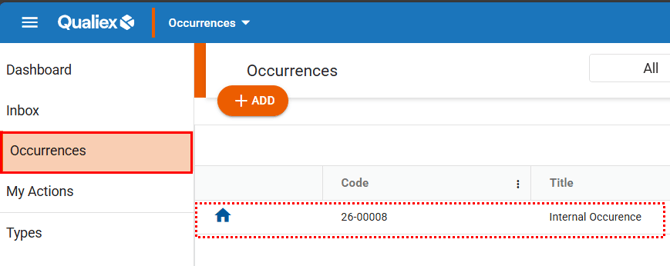
Select the desired occurrence to proceed with the standardization and communication process.
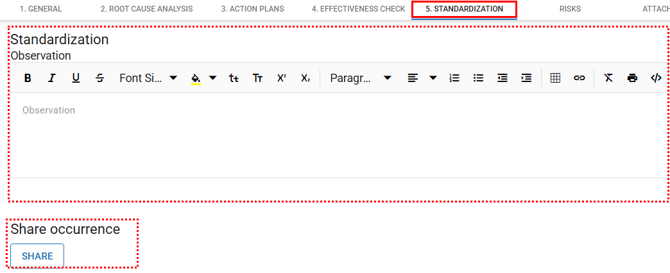
When selecting the desired occurrence, go to the “Standardization” tab, complete the required fields, and save to record the updates.
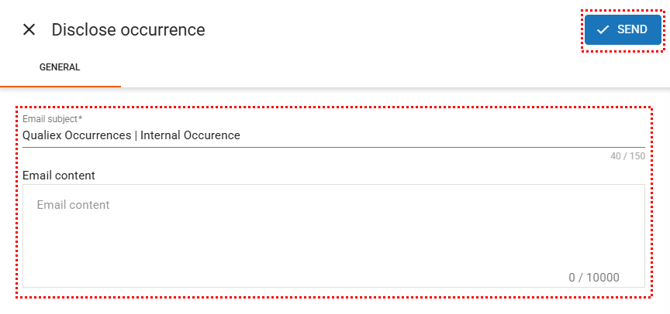
Communicating the occurrence allows important information to be shared with the entire team, strengthening transparency and promoting collective learning from each situation that has been addressed.
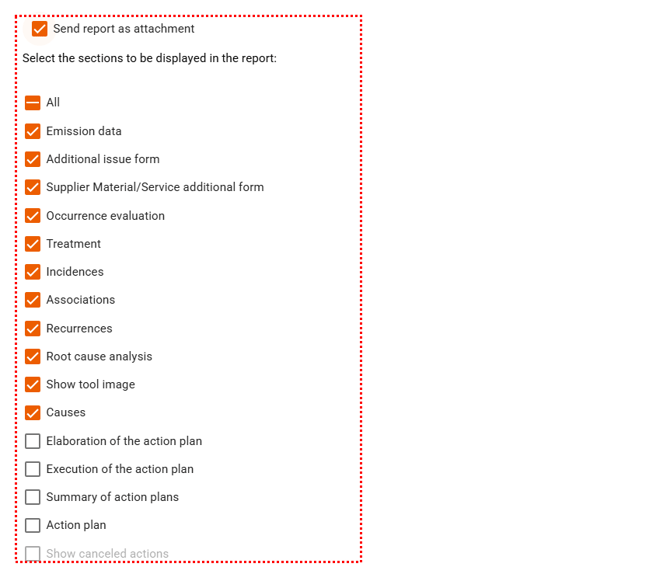
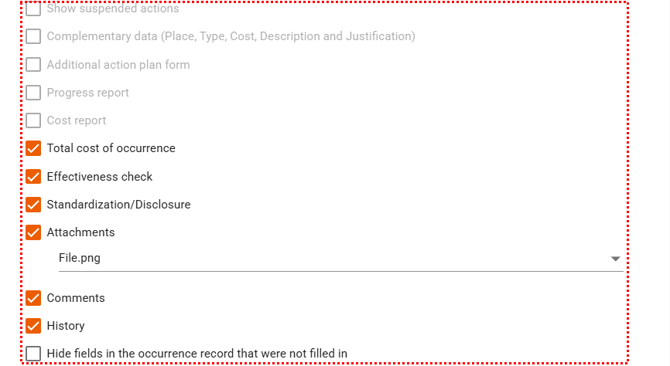
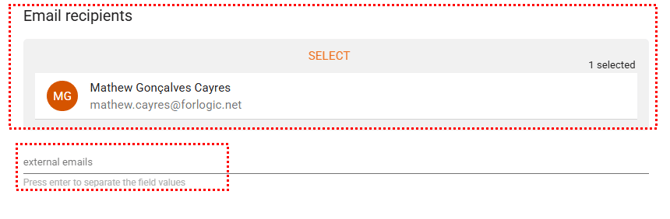
When you click “Share”, a screen will appear where you can select the email subject and body, as well as define which information will be included in the report that can be sent as an attachment. It is also possible to add external email addresses and select the employees who will receive the communication. To finish, click “Send”.
When you click “Share”, a screen will appear where you can select the email subject and body, as well as define which information will be included in the report that can be sent as an attachment. It is also possible to add external email addresses and select the employees who will receive the communication. To finish, click “Send”.
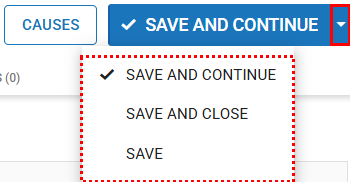
After completing the previous steps, in the upper-right corner, when you click “Save”, you will also find the following options:
-
Save and Next: Records the changes and moves to the next step.
-
Save: Saves the changes and keeps the user on the occurrence screen.
-
Save and Close: Saves the data and returns to the occurrences list.
Once the standardization is completed, the handling of the occurrence is finalized.