In some cases, a category previously registered in the Occurrences module may no longer be appropriate due to changes or adjustments in processes. In such situations, it is possible to remove the category.
⚠️ ATTENTION:
The recommended practice is to deactivate the category instead of removing it, since deleted information cannot be restored.
The recommended practice is to deactivate the category instead of removing it, since deleted information cannot be restored.
1. Access the module
Click here to learn how to access the Occurrences module in Qualiex.
2. Removing the category
Click the Category tab, then right‑click the desired category, or open the context menu  and select “Remove.”
and select “Remove.”To remove a category, you must have the permission “Manage types, categories, and cause classifications”, configured under Configurations > Roles and Permissions.
Click here to learn how to configure this permission for the Occurrences module.
Click here to learn how to configure this permission for the Occurrences module.
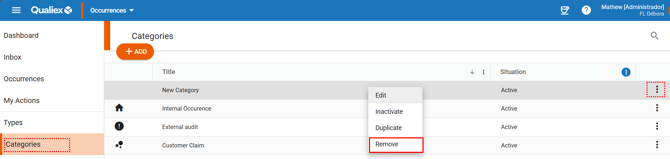
When selecting the “Remove” option, a window will appear requesting confirmation.
You must confirm that you understand the category cannot be recovered after deletion.
You must confirm that you understand the category cannot be recovered after deletion.
To proceed with the removal, click  , or click “Cancel” if you want to stop the process.
, or click “Cancel” if you want to stop the process.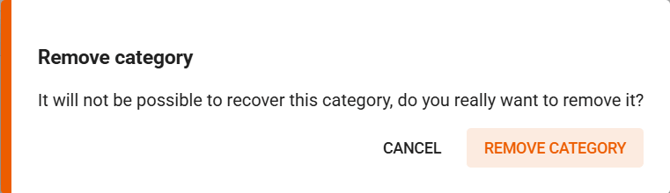
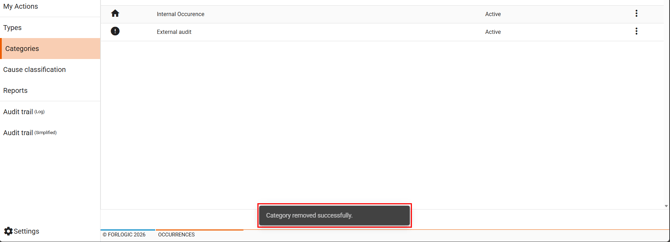
After selecting “Remove category,” it will no longer appear on the screen, cannot be found in the system, and a confirmation message will be displayed.
3. Categories in use cannot be removed
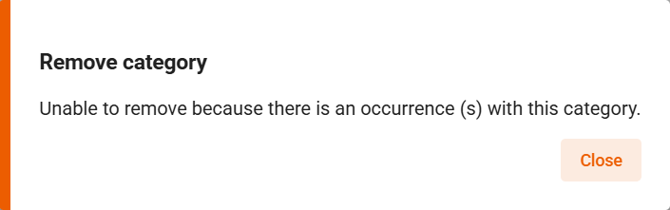
It is not possible to remove categories that are already linked to occurrences.
For categories that are currently in use, you must use the deactivate option instead.
Click here to learn how to deactivate and activate a category.