
When an occurrence becomes irrelevant or is registered by mistake, the system allows it to be removed in a simple and secure way. This keeps records up to date and aligned with the team’s actual needs, ensuring more agile and accurate management.
Accessing the module
Click here to learn how to access the Occurrences module in Qualiex.
Removing an occurrence
To remove an occurrence, you must have the “Remove” permission.
This permission is configured under Settings > Roles and Permissions.
This permission is configured under Settings > Roles and Permissions.
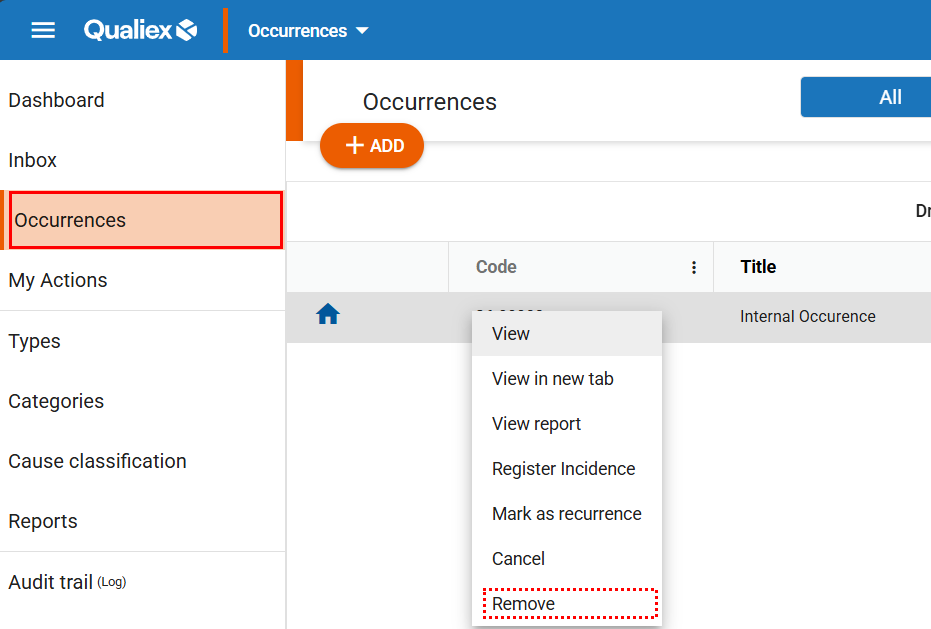
One way to remove an occurrence is by right‑clicking on it and selecting the “Remove” option from the menu that appears.
Another option is to open the occurrence directly, click  , and select “Remove.”
, and select “Remove.”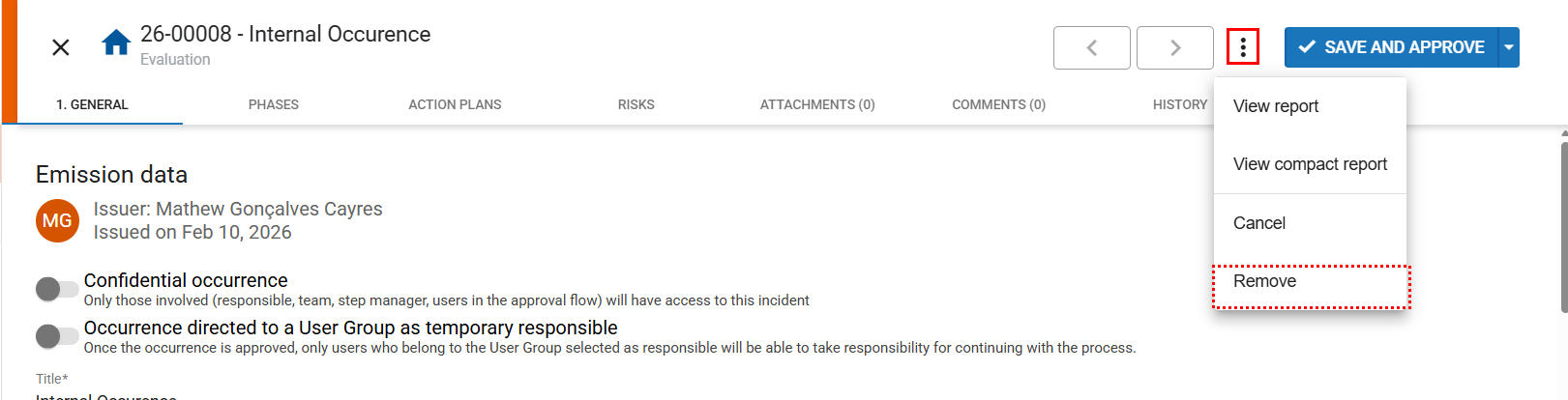
When selecting “Remove,” a window will be displayed asking for a justification for removing the occurrence.
After entering the justification, click “Remove occurrence” to complete the action.
After entering the justification, click “Remove occurrence” to complete the action.
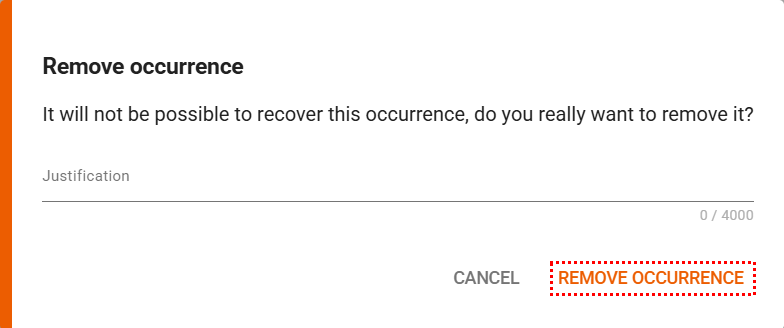
After the removal, the occurrence cannot be recovered.