1. Access the Module
2. Inbox
 and select “To Evaluate.”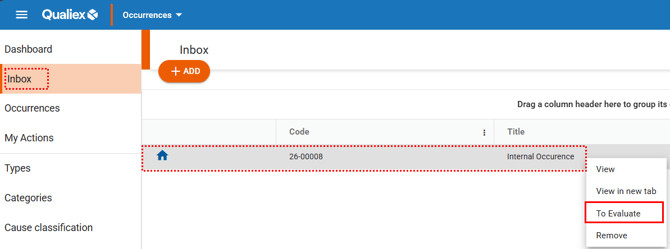
3. Evaluating the Occurrence
To perform the evaluation, it is necessary to review the registration information and define the handling process if the occurrence is approved.
GENERAL TAB
When the occurrence evaluation screen opens, you will have access to the General tab, where you will find the occurrence issuance data, handling details, and the team involved.
Issuance Data
The first step is to review the issuance information and determine whether the occurrence should be marked as confidential and whether it should be assigned to a specific group of employees.
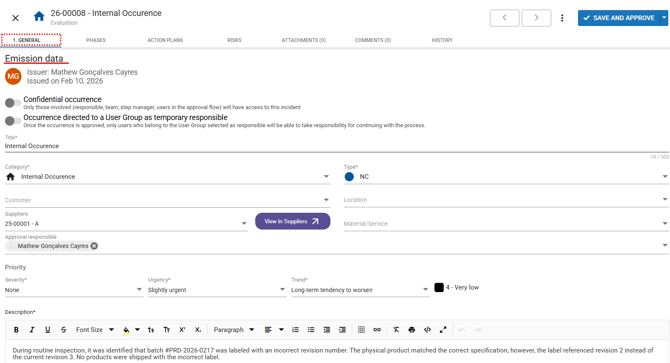
Confidential occurrence (optional):
You can define whether access to the information in this occurrence should be restricted to the employees involved in the handling process.
To make it confidential, click the button  when activated, the button will turn blue, indicating that the occurrence is confidential
  .
.
-
Occurrence assigned to a user group as a temporary responsible party (optional): When this option is enabled, you can select a user group that will temporarily be responsible for choosing the specific employee who will lead the handling of the occurrence.
-
The approver may review and edit the data entered in the occurrence description fields: title, category, type, customer, location, suppliers, material/service, approval responsible, description.
ATTACHMENTS TAB
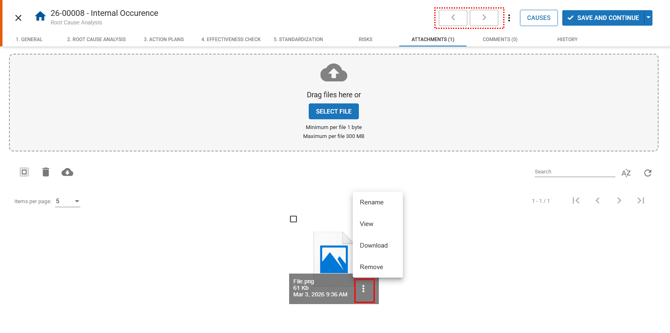
To access the Attachments tab, use the arrow located in the upper‑right corner  :
:
4. Rejecting the Occurrence
After completing the evaluation, if you determine that—based on your company’s process—the occurrence should not proceed for treatment, you may REJECT it while still maintaining a traceable record of the information.
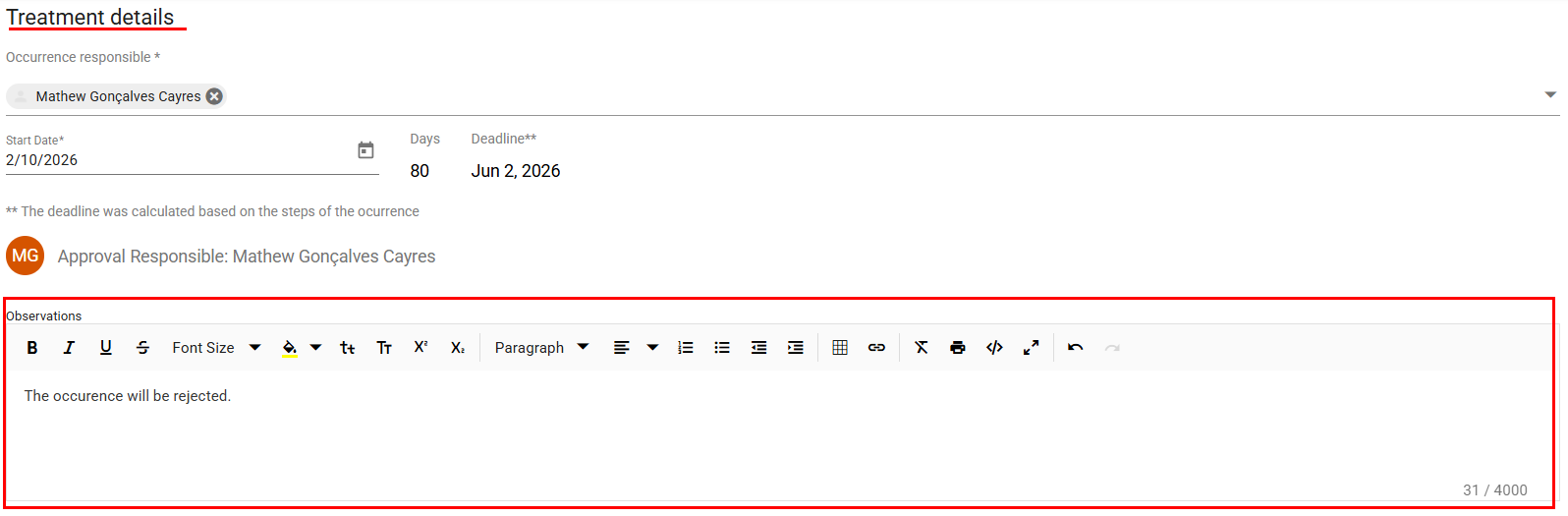
Before finalizing, we recommend adding a comment with your assessment to ensure coherence with the next action to be taken.
To record your comment, return to the GENERAL tab and locate the text field under “TREATMENT DETAILS.”
 button next to “Save and Approve”, and then select “SAVE AND INVALIDATE”.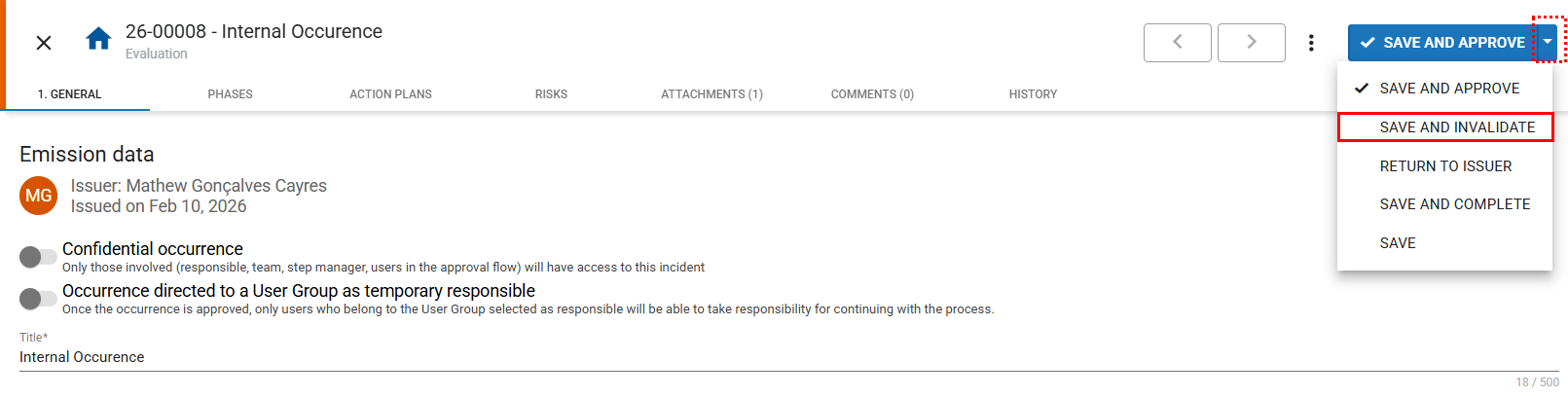
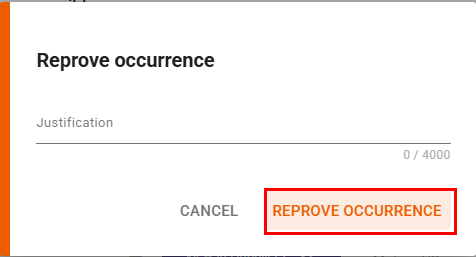
A window will appear for you to enter a justification for your action; this ensures that the occurrence is not rejected by mistake.
Fill in the field and click “REPROVE OCCURRENCE”, or click Cancel if you decide not to proceed.