
Before creating a new type, it is essential to understand what it is and what it is used for. Click here to learn more.
1. Access the Module
Click here to learn how to access the Occurrences module in Qualiex.
2. Creating the Type
By clicking the “Types” tab, you will be able to view the predefined types (automatically created when the module is activated), which are:
- Nonconformity
- Opportunity for Improvement
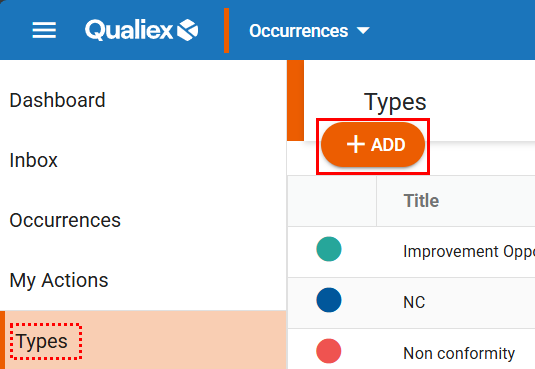
To create a new type, click the  button, as shown in the image below.
To perform the registration, you must have the “Manage types, categories, and cause classifications” permission, defined under Configurations > Roles and Permissions.
Click here to learn how to configure permissions for the Occurrences module.
Click here to learn how to configure permissions for the Occurrences module.
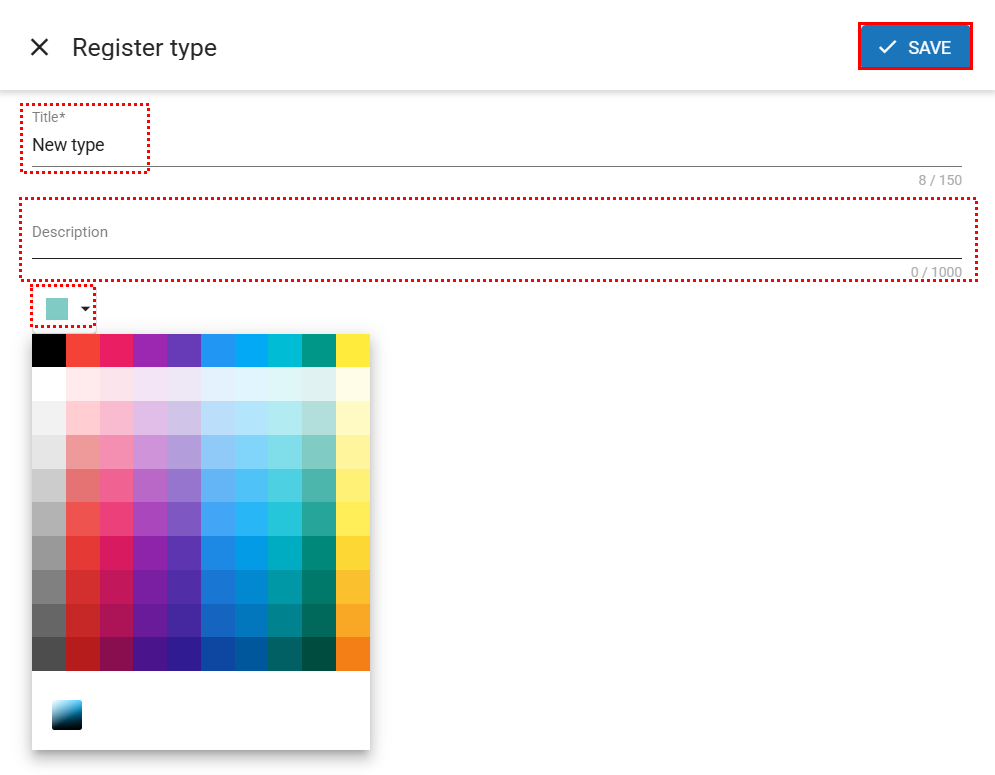
A registration screen will open where you will need to define the following:
- Title: Enter the name of the type being registered (this field is mandatory and has a limit of 150 characters).
- Description: Here you may define the characteristics of this type (optional, with a limit of 1000 characters).
- Color: Select a color to represent this type (if no color is chosen, white will be used by default).
After filling in the fields, click  .
.
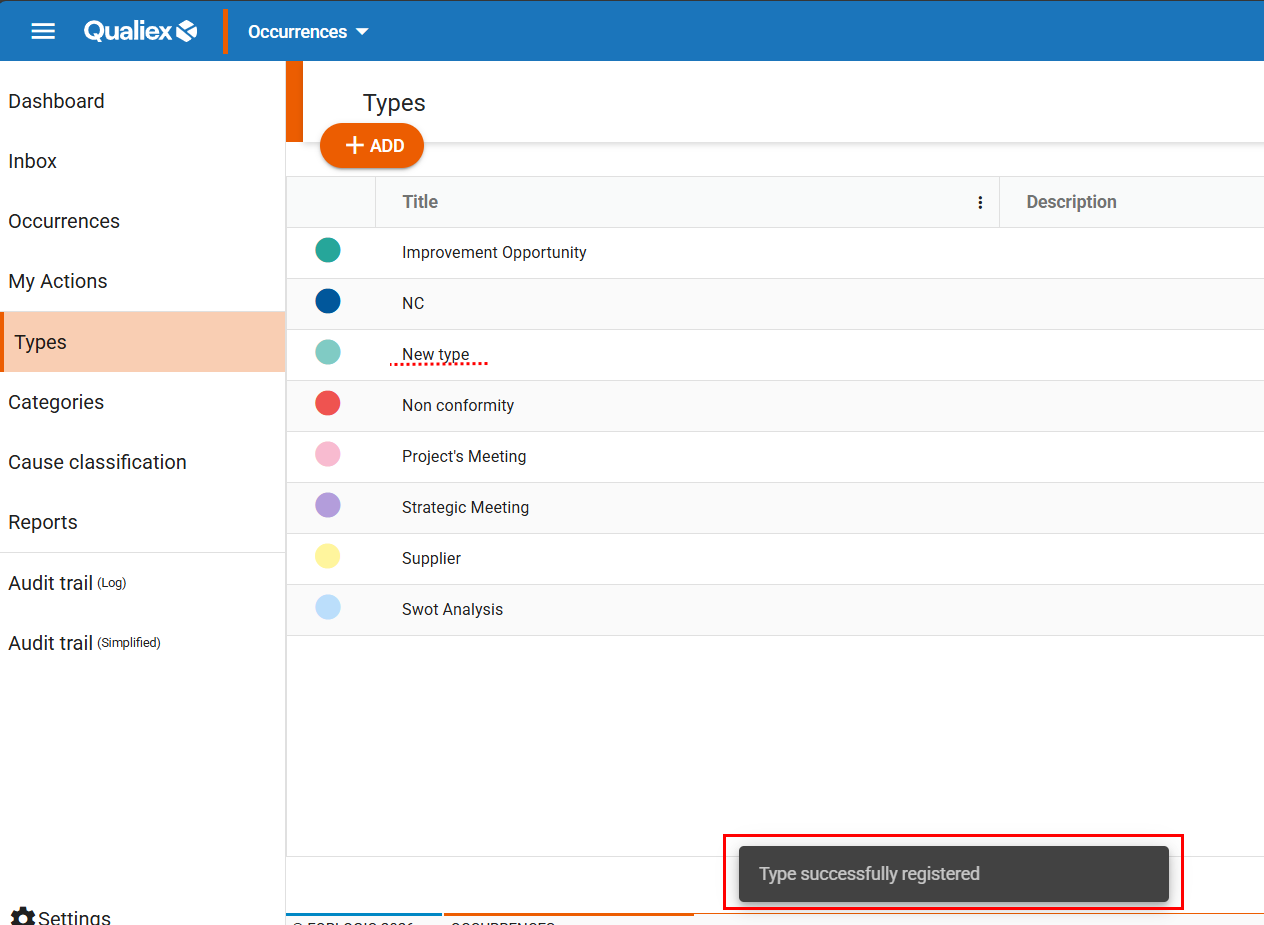
After clicking “Save”, the type will be registered and a confirmation message will appear:
See also: (placeholder)
- How to access the Qualiex Occurrences module?
- Types and Categories of Occurrences in Qualiex: what are they and what are they used for?
- How to edit a type?
- How to delete a type?
- How to duplicate a type?
- How to deactivate and activate an Occurrence Type in Qualiex?