After identifying the cause of the nonconformity and implementing the necessary corrective actions, it is important to monitor whether the problem has indeed been resolved. If the nonconformity occurs again for the same reason, you must register a new incident. This record contributes to the historical log, facilitates recurrence analysis, and supports decision‑making aimed at improving quality processes and preventing the issue from happening again in the future.
Accessing the module
Click here to learn how to access the Occurrences module in Qualiex.(placeholder)
Registering an incident
To register an incident, you do not need a specific permission.
Attention: if the employee has the “View all” permission, they will be able to register incidents in any nonconformity within the unit. This is defined under Settings > Roles and Permissions.
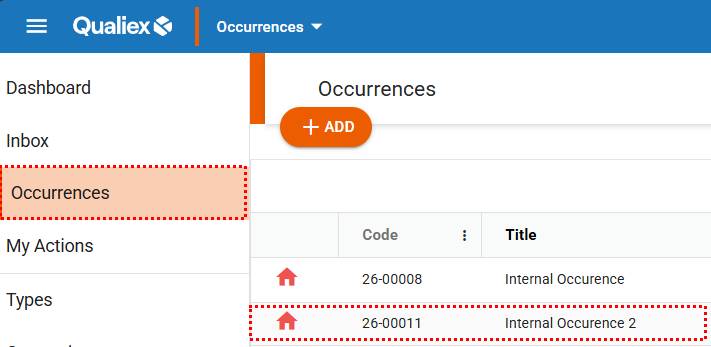
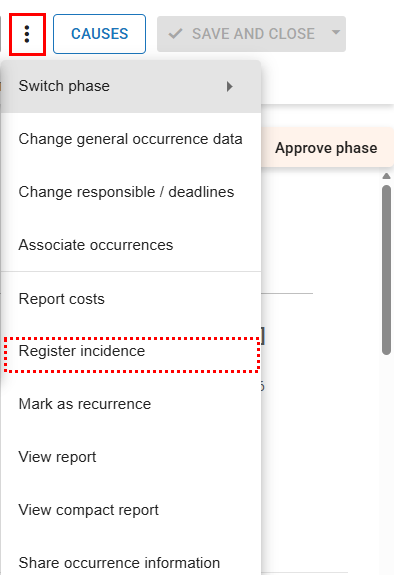
In the home page of the Occurrences module, locate and select the nonconformity record you want. Then, in the upper‑right corner, click the context menu and choose the option “Register incident”.
In the home page of the Occurrences module, locate and select the nonconformity record you want. Then, in the upper‑right corner, click the context menu  and choose the option “Register incident”.
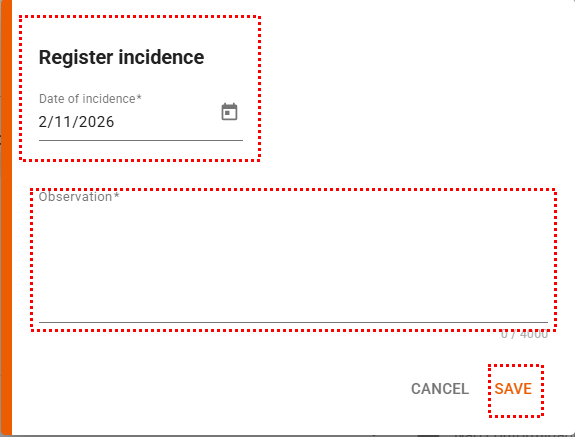
When you click the option, the incident registration screen will be displayed. You must fill in the date and provide a detailed statement regarding the situation. After entering all the required information, click “Save” to record the incident.
- Incident date: enter the date on which the incident occurred
- Statement: describe in detail how the incident took place
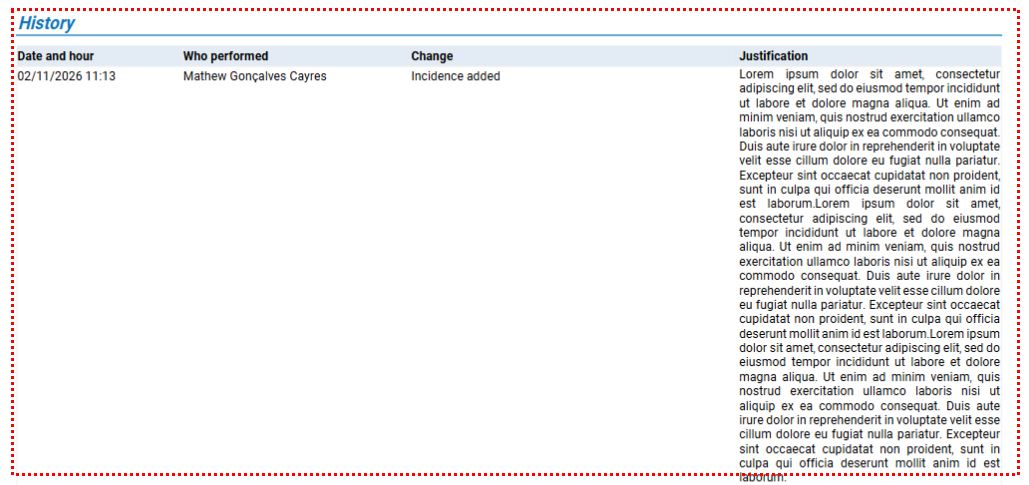
Every recorded incident is automatically added to the General tab and to the nonconformity’s history, keeping all information centralized and easily accessible for future reference.
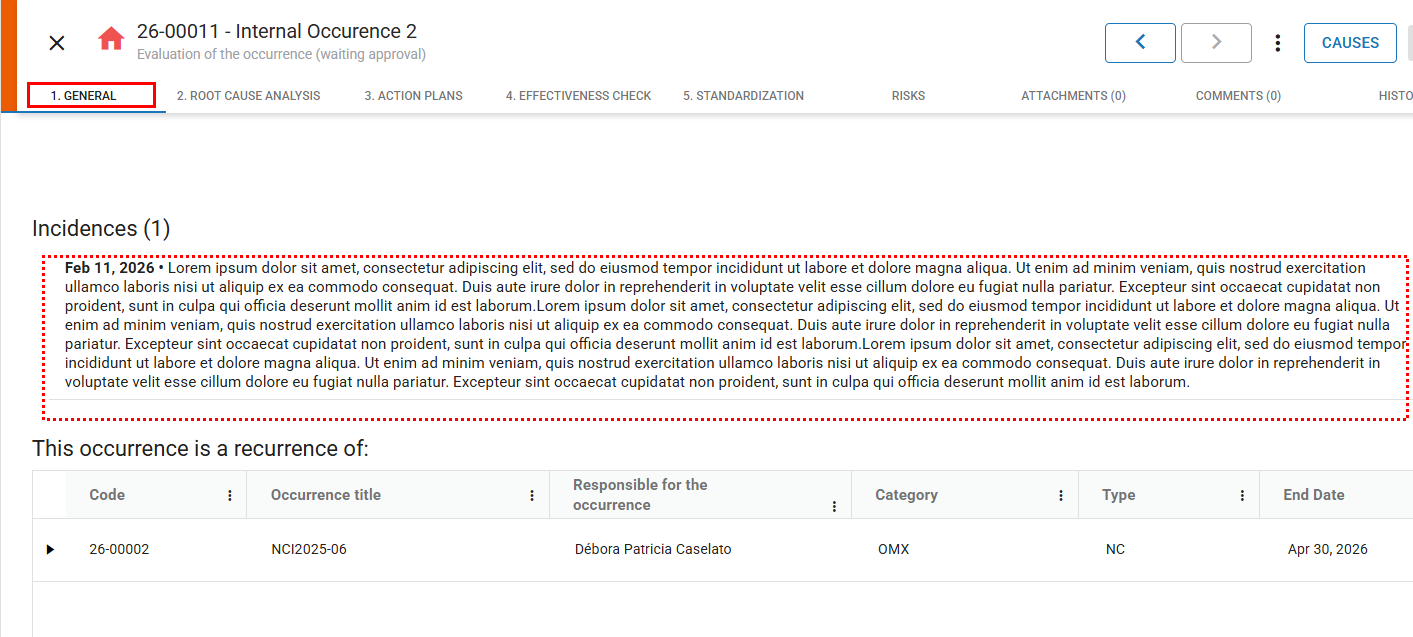
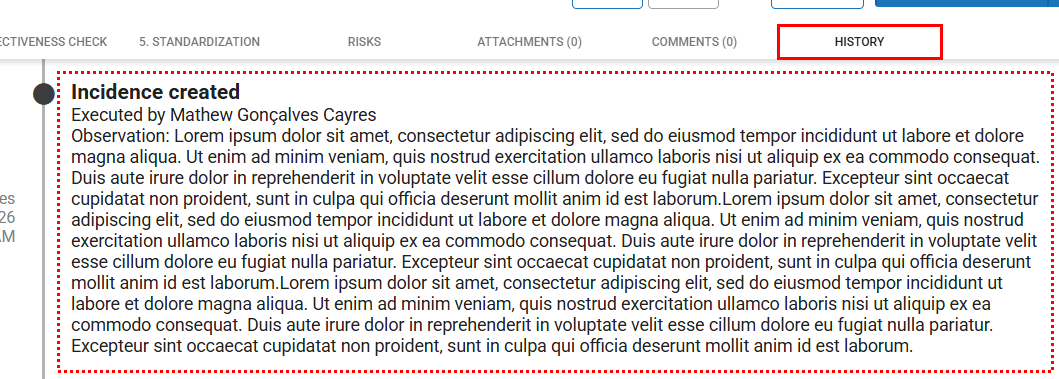
In addition, when viewing the nonconformity report, both the incident record and the history will be available, making it easier to access all related information in a single place.