
In some cases, a previously registered and used occurrence type may no longer be suitable due to updates or changes in the organization’s processes.
In such situations, the best practice is to inactivate the type, preventing it from being selected in new occurrences.
This approach keeps the system more organized and up-to-date while preserving traceability, since the deactivated type remains stored in the history but no longer appears as an option when registering a new occurrence.
1. Access the Module
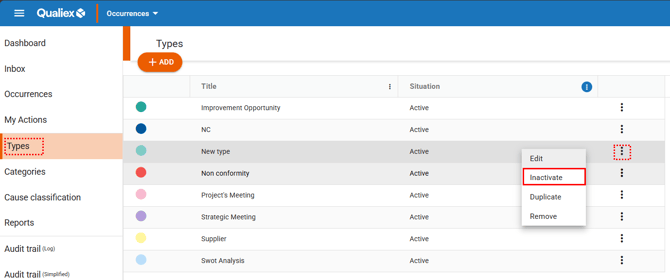
2. Inactivating the Type
 and select “Inactivate.”
Click here to learn how to configure permissions for the Occurrences module.
Click here to learn how to unlink a type from a category.
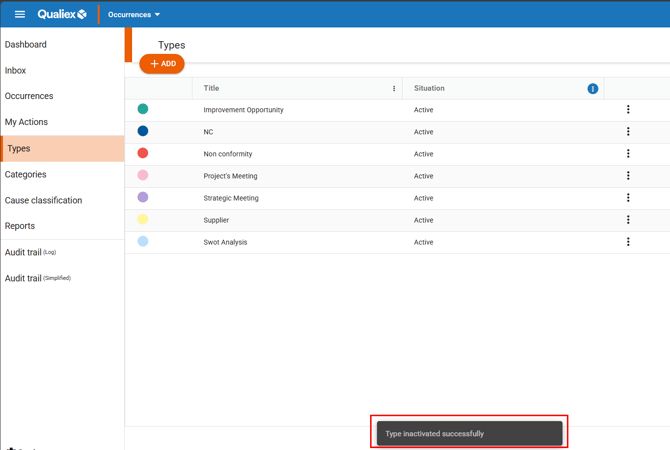
When the type is inactivated, it can no longer be selected in categories or in new occurrences, but it will continue to appear in occurrences where it was previously used.
3. How to view inactive types?
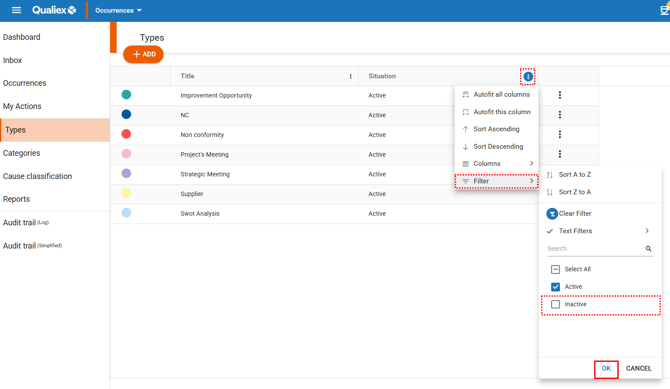
To view inactive types, you must change the default filter in the “Status” column.
Click the column’s context menu  , go to “Filter”, select the “Inactive” option, and then click “Apply”, as shown in the example below.
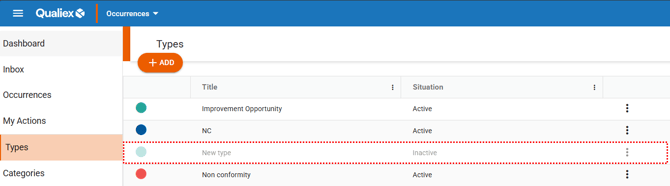
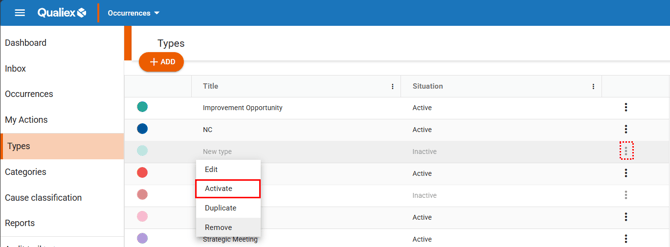
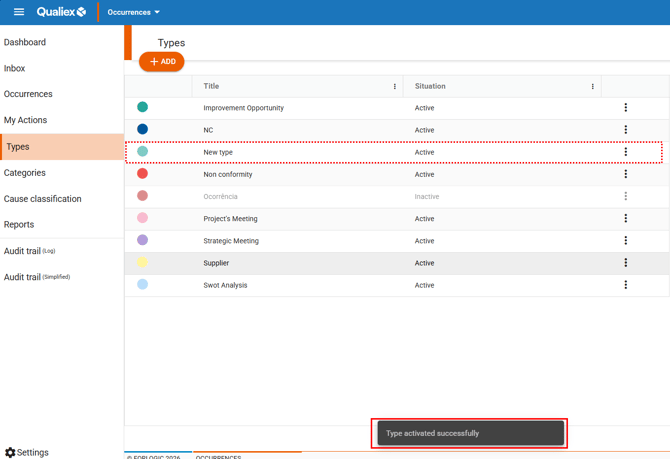
4. Activating an Inactive Type
Right‑click the desired inactive type, or open the context menu and then select “Activate.”
See also:
- How to access the Qualiex Occurrences module?
- Types and Categories of Occurrences in Qualiex: what are they and what are they used for?
- How to create a type?
- How to edit a type?
- How to remove a type?
- How to duplicate a type?