You can now group occurrences by any available column, except for the occurrence code column.
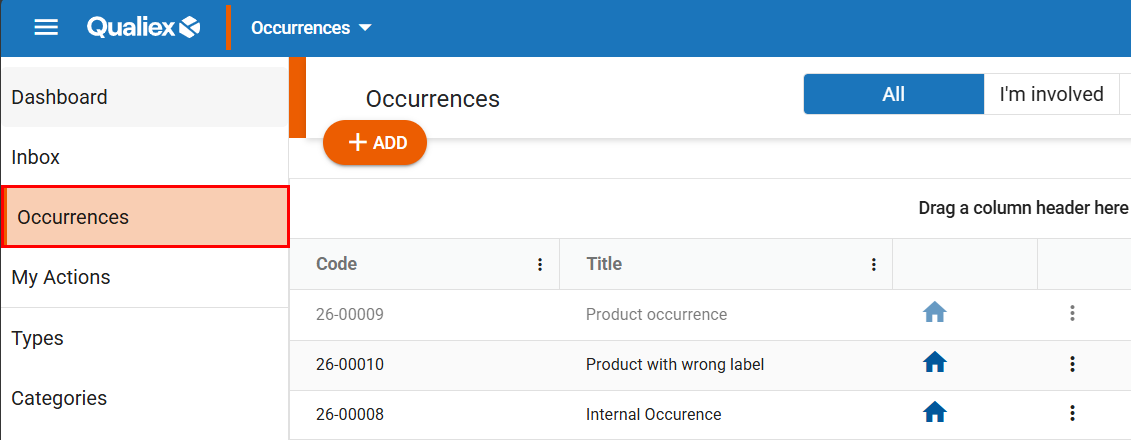
Accessing the Module
Grouping Columns
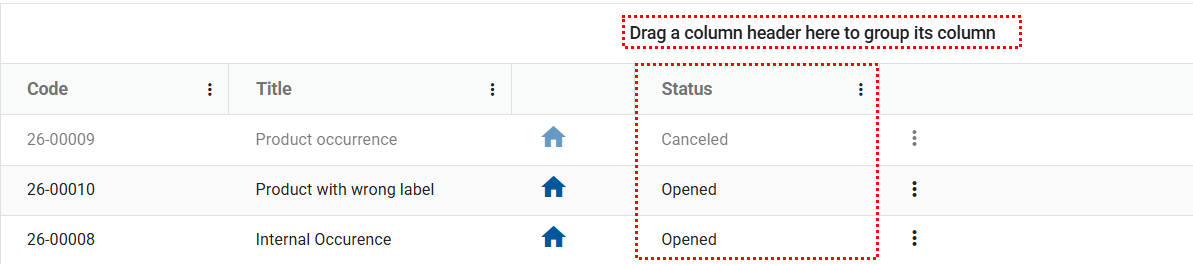
To group occurrences, choose the desired column, click the column header with the left mouse button, hold, and drag it to the area marked with the message “Drag a column header here to group by that column.
Release the header in that area and the occurrences will automatically be organized according to the selected column.
Below is an example of grouping by the Status column.
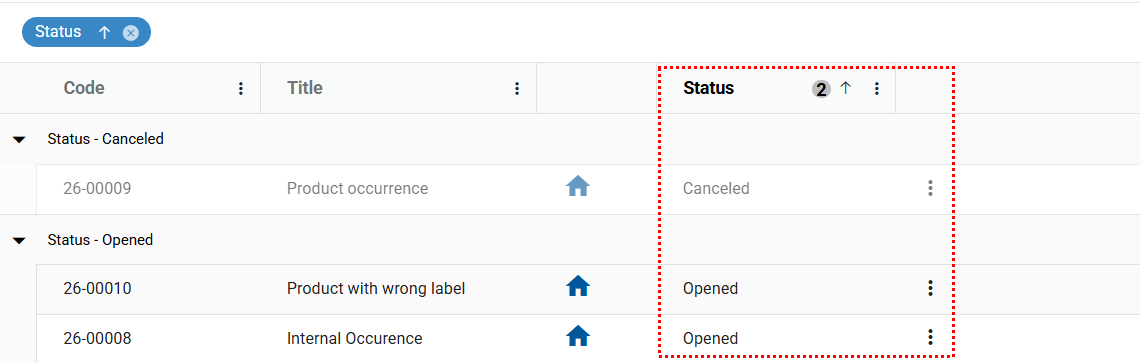
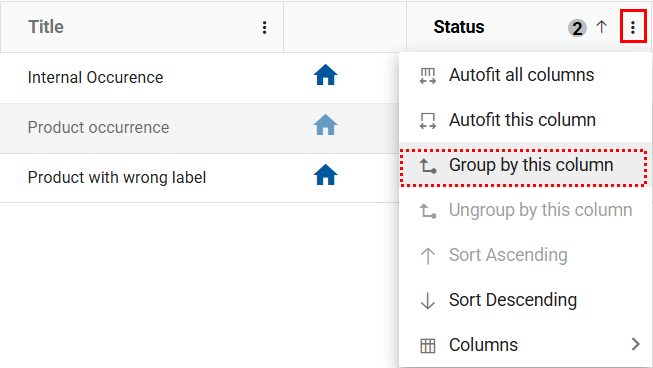
Another way to group columns is by using the context menu. To do this, click the context menu icon  on the desired column, select “Group by this column,” and the occurrences will automatically be grouped according to the selected column.
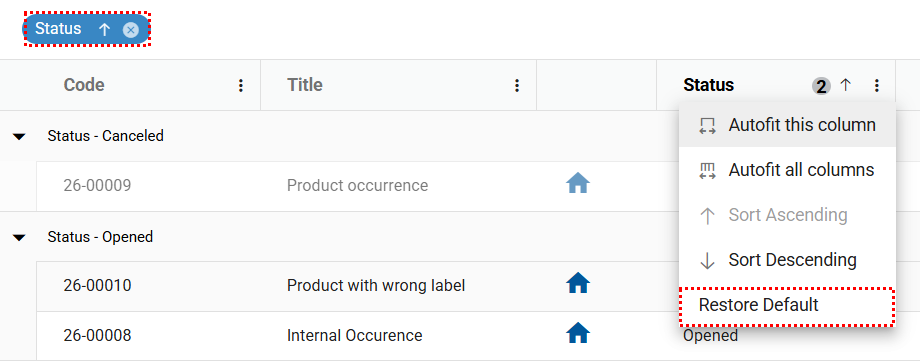
To undo the grouping, simply click the “x” next to the grouped column or right‑click the column and select “Restore default.”
This will remove the grouping and return the sorting to its previous format.