In Qualiex, we recognize that not all processes require the full execution of the PDCA cycle. For this reason, we provide the option to enable or disable PDCA steps directly in the Categories tab.
This feature ensures autonomy and flexibility so that each organization can customize the workflow according to its needs, making management more agile and aligned with the reality of each process.
1. Access the Module
2. Disabling a Treatment Step
 and select “Edit.”
Click here to learn how to configure permissions for the Occurrences module.
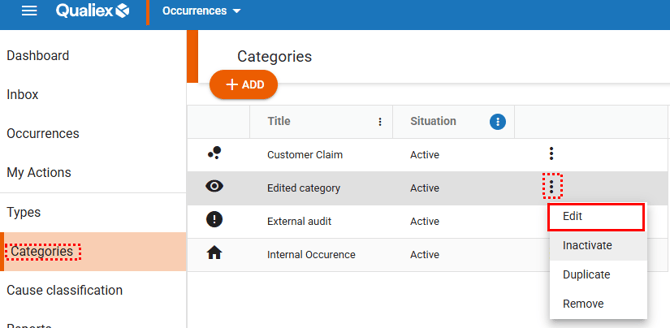
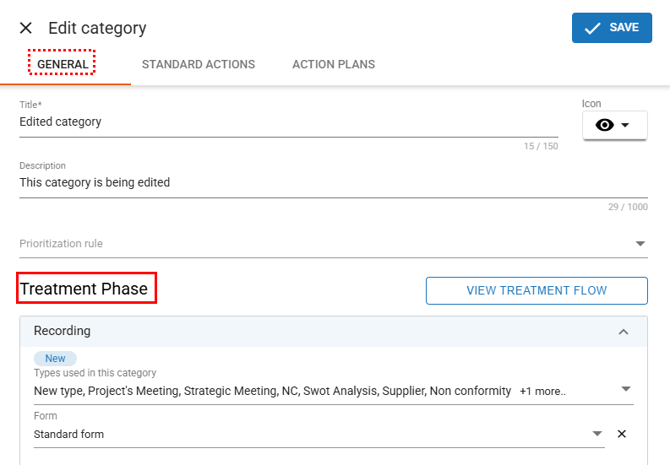
When selecting the “Edit” option, a window will open allowing you to make changes to the category.
In the “General” tab, locate the “Treatment Phase” section.
Only the following steps can be disabled: Cause Analysis, Effectiveness Check, and Standardization/Disclosure.
After locating the steps, review them and click the button  to disable the desired steps.
-
When the step is enabled

-
When the step is disabled

In this way, you will see all the steps displayed as follows:
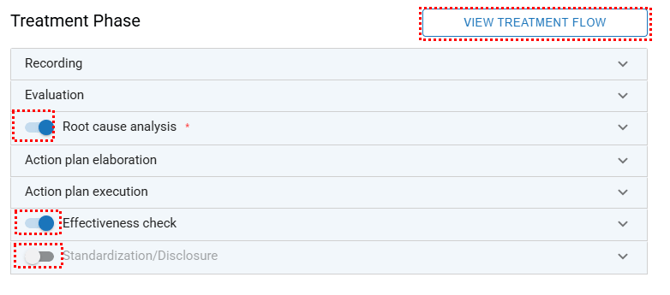
 , you can view how your treatment flow has been defined and see which steps are active in it.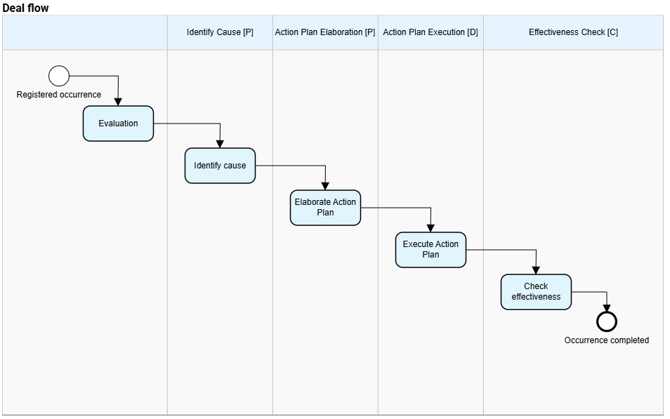
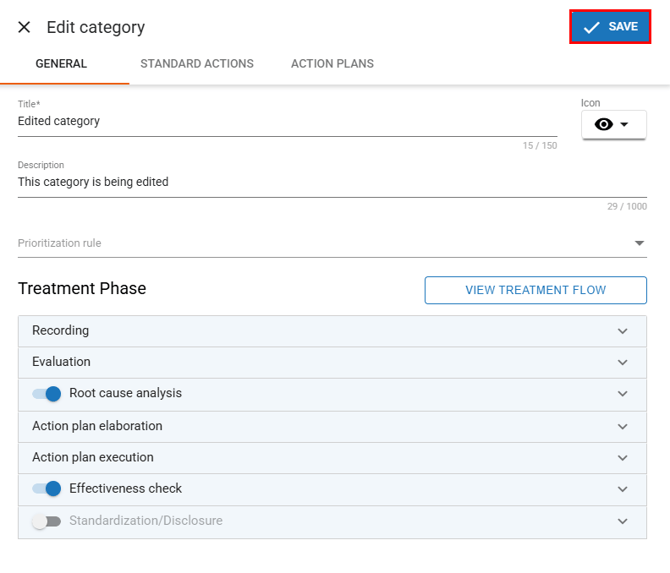
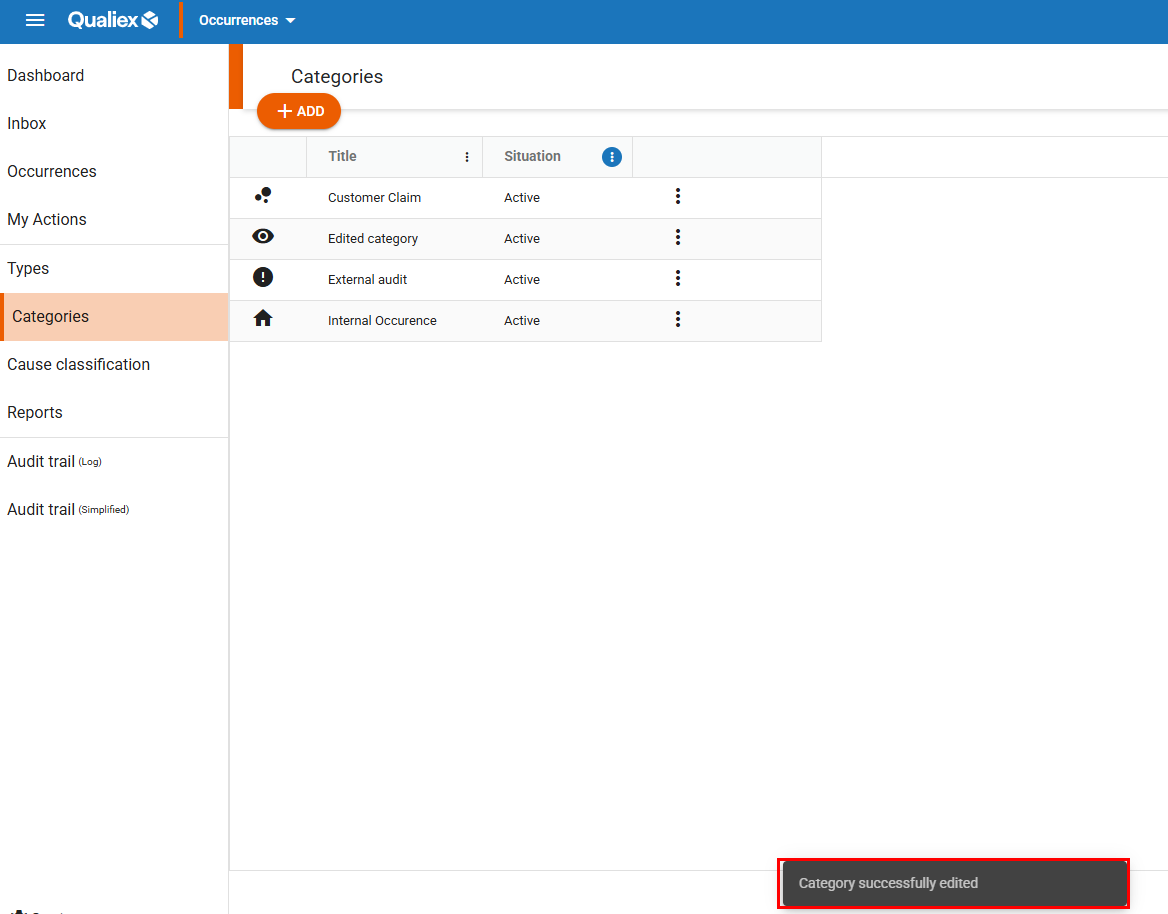
When you click “Save,” the category will be updated, and a confirmation message for the edit will appear: