
If information has been entered incorrectly or if it is necessary to update the data of a category, you can edit the record to quickly and easily correct or adjust the information.
1. Access the Module
Click here to learn how to access the Occurrences module in Qualiex.
2. Editing the Category
Click the “Categories” tab, then right‑click the desired category or open the context menu  and select “Edit.”
and select “Edit.”To perform the edit, the user must have the “Manage types, categories, and cause classifications” permission, defined under Configurations > Roles and Permissions.
Click here to learn how to configure permissions for the Occurrences module.
Click here to learn how to configure permissions for the Occurrences module.
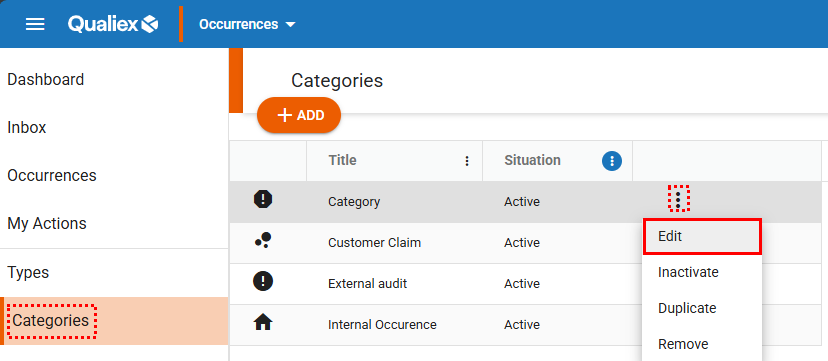
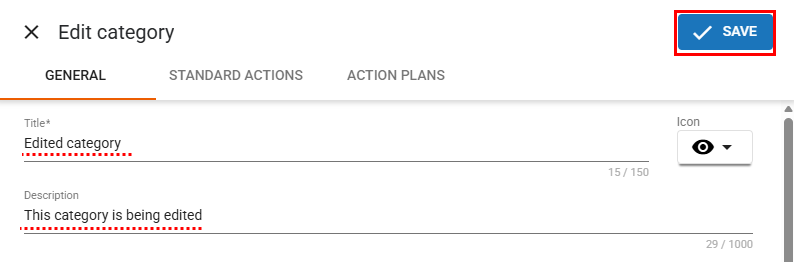
When selecting the “Edit” option, a window will open allowing you to make changes to the category.
After making the necessary changes, click  .
.
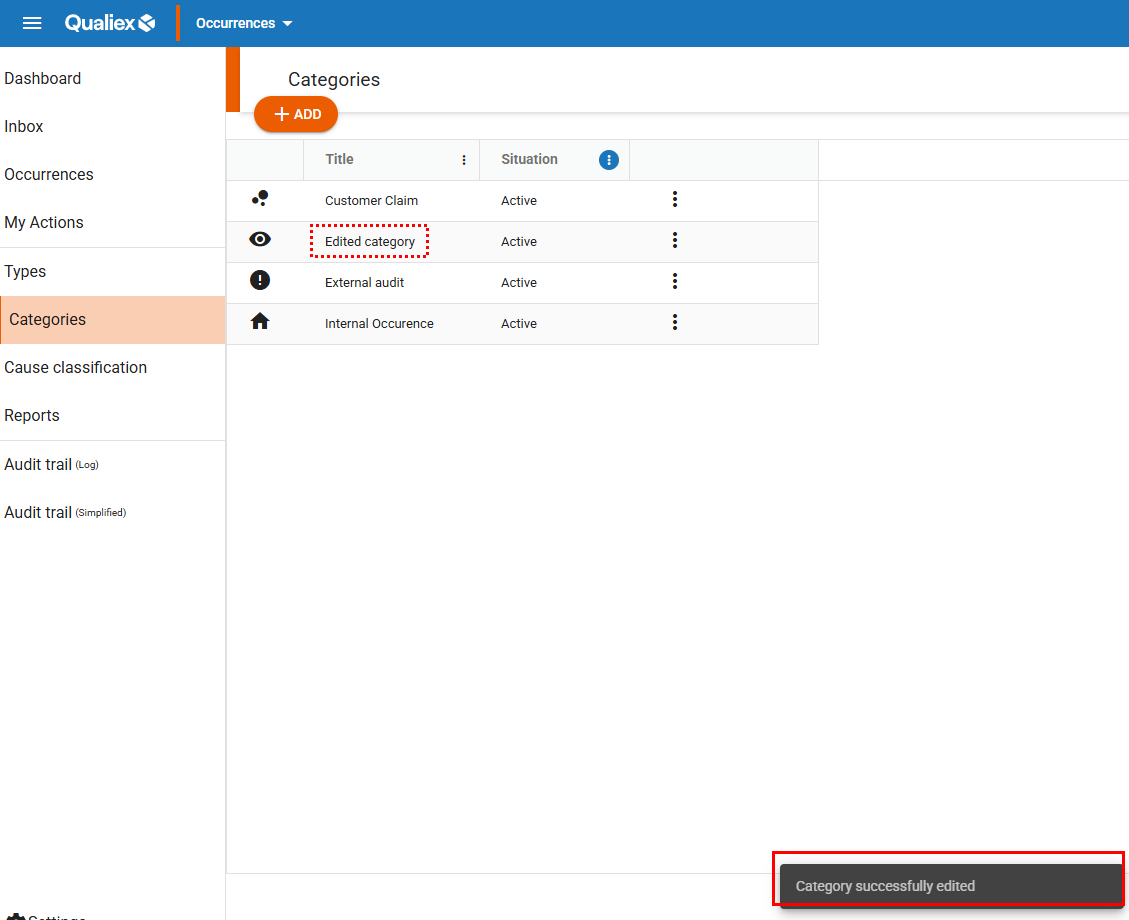
After clicking “Save”, the category will be updated and a confirmation message for the edit will appear:
Context)
When an occurrence category is edited, all occurrences linked to it will also be updated to reflect the changes made (including completed and canceled ones).
If you do not want these updates to apply to all occurrences, use the “Duplicate” option instead.
Click here to learn how to duplicate a category.