
If any information was entered incorrectly or if it becomes necessary to update the details of a cause classification, you can edit the record to correct or adjust the information quickly and easily.
1. Access the module
Click here to learn how to access the Occurrences module in Qualiex.
2. Editing the cause classification
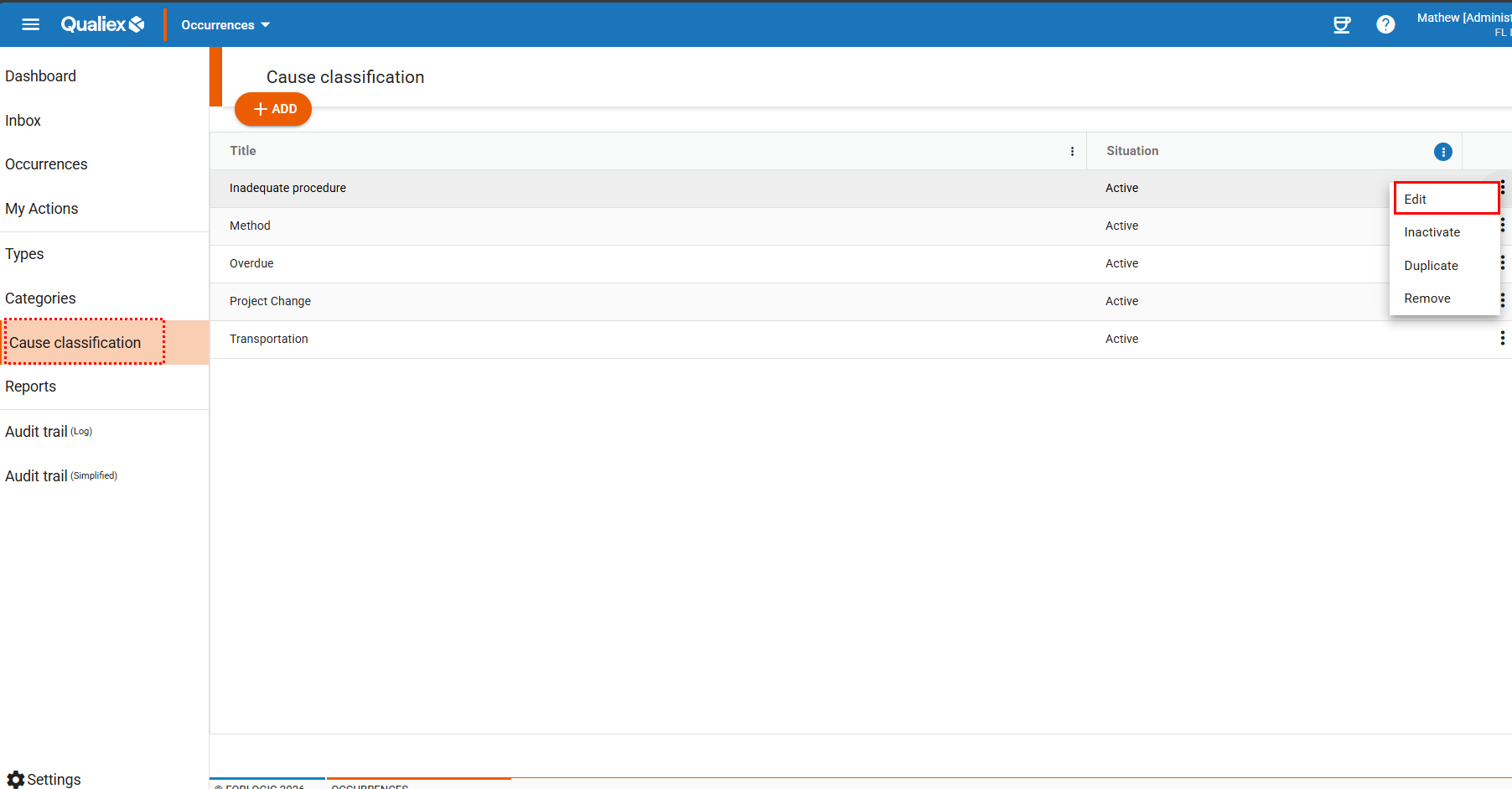
Click the Cause Classification tab, then right‑click the classification you wish to edit, or open the context menu  and select “Edit.”
and select “Edit.”To edit a classification, you must have the permission “Manage types, categories, and cause classifications,” defined under Settings > Roles and Permissions.
Click here to learn how to configure this permission for the Occurrences module.
Click here to learn how to configure this permission for the Occurrences module.
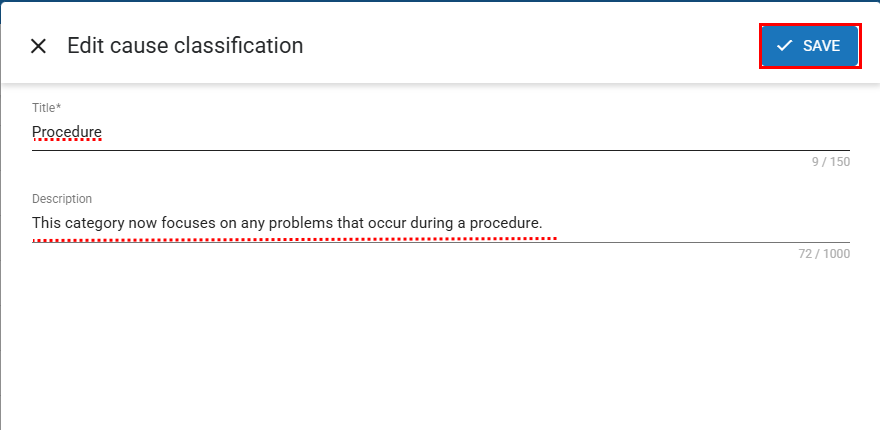
When selecting “Edit,” a window will open allowing you to modify the classification.
After making the necessary changes, click  .
.
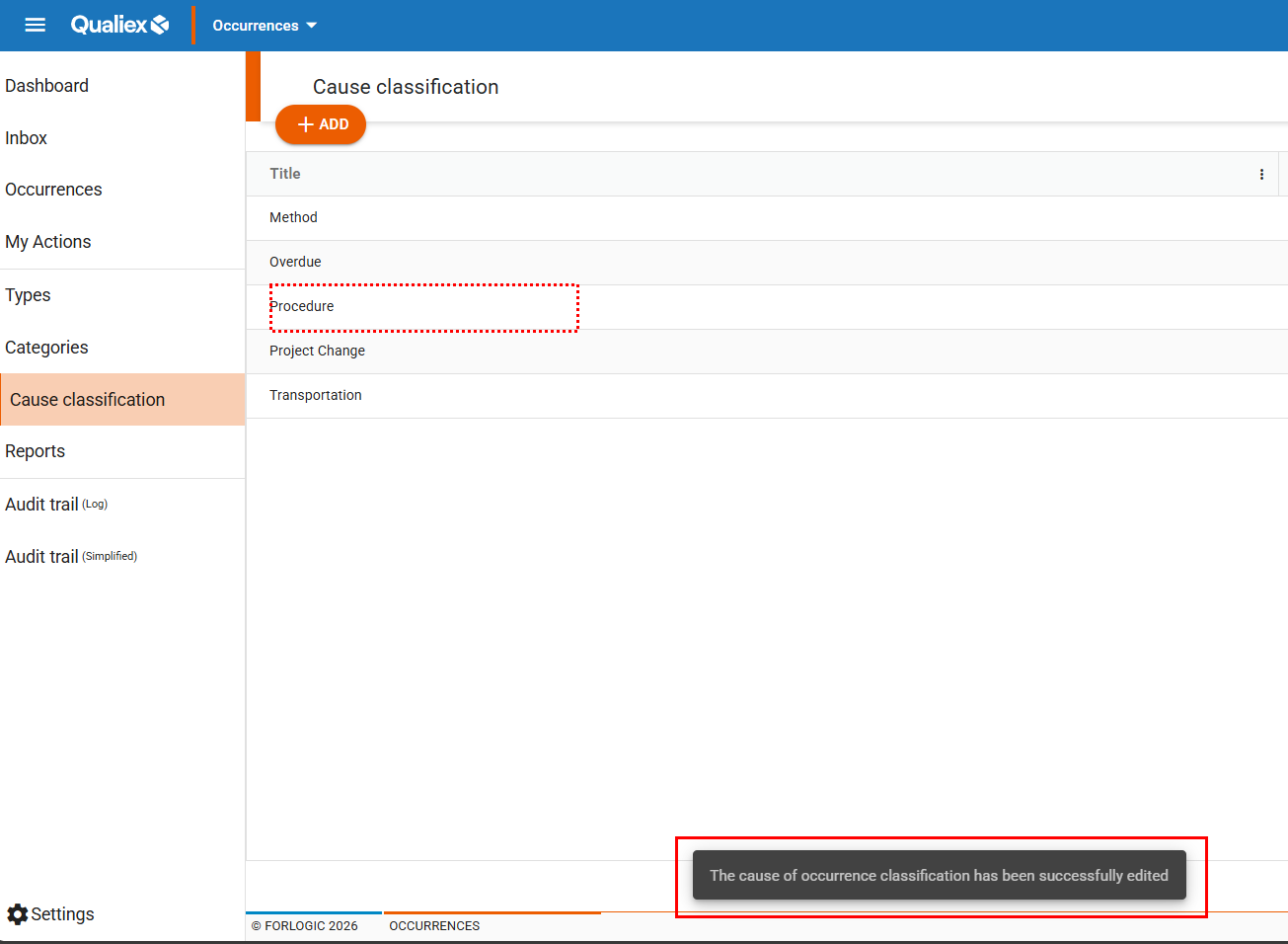
Once you click Save, the classification will be updated and a confirmation message will appear.
See also:
- How to register a cause classification?
- How to remove a cause classification?
- How to duplicate a cause classification?
- How to deactivate and activate a cause classification?