After the standardization and disclosure step, all relevant information has been reviewed, validated, and shared with the involved parties. With this, the occurrence is properly recorded in the system and ready to be officially closed, ensuring that the lessons learned and resulting actions are aligned with the organization’s quality standards.
Accessing the Module
Click here to learn how to access the Occurrences module in Qualiex.
Closing the Occurrence
To close an occurrence, the user must either be the responsible person for the occurrence or have the “Edit All” permission.
This is defined under Configurations > Roles and Permissions.
This is defined under Configurations > Roles and Permissions.
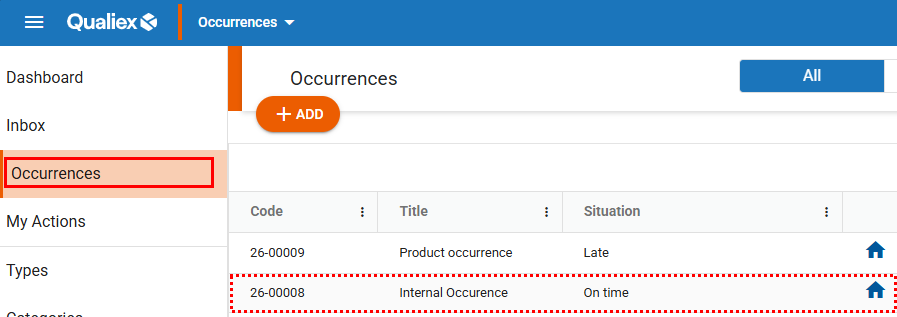
To finalize the occurrence, open it in the system and follow the steps to complete the process.
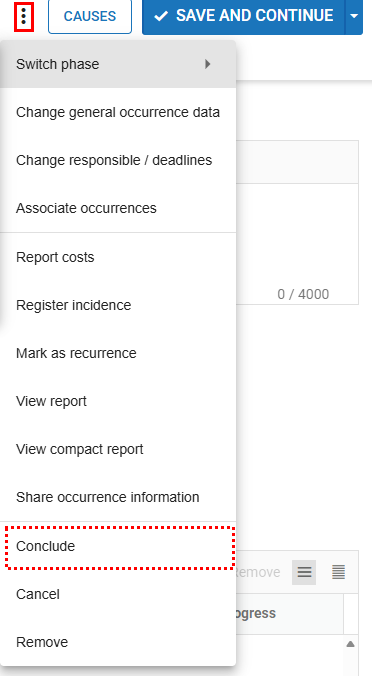
When you open the occurrence, click the button in the upper‑right corner, access the context menu, and select the option “Conclude.”
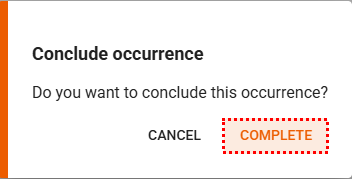
The confirmation screen for closing the occurrence will be displayed.
Click “Complete” and the occurrence will be successfully finalized.
Click “Complete” and the occurrence will be successfully finalized.