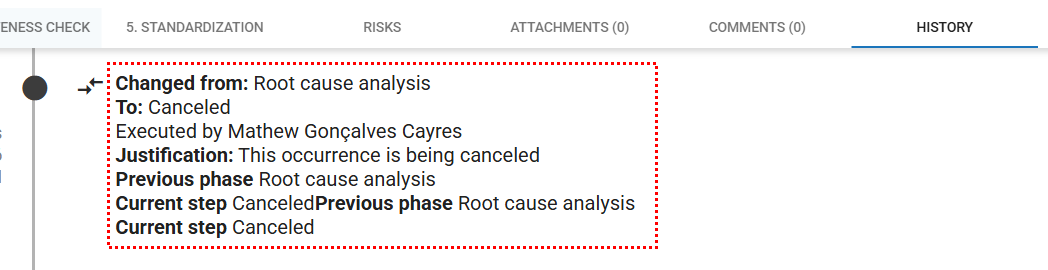
In the Occurrences module, it is possible to cancel occurrences that will no longer continue in the treatment process.
However, it is important to highlight that once an occurrence is canceled, it cannot be recovered.
However, it is important to highlight that once an occurrence is canceled, it cannot be recovered.
Accessing the Module
Click here to learn how to access the Occurrences module in Qualiex.
Canceling an Occurrence
To cancel an occurrence, you must have the Cancel permission, which is configured in Configurations > Roles and Permissions.
Cancellation can be performed in two ways:
- from the occurrence list, by clicking on the desired occurrence, or
- through the context menu inside the occurrence itself.
1. From the occurrence list
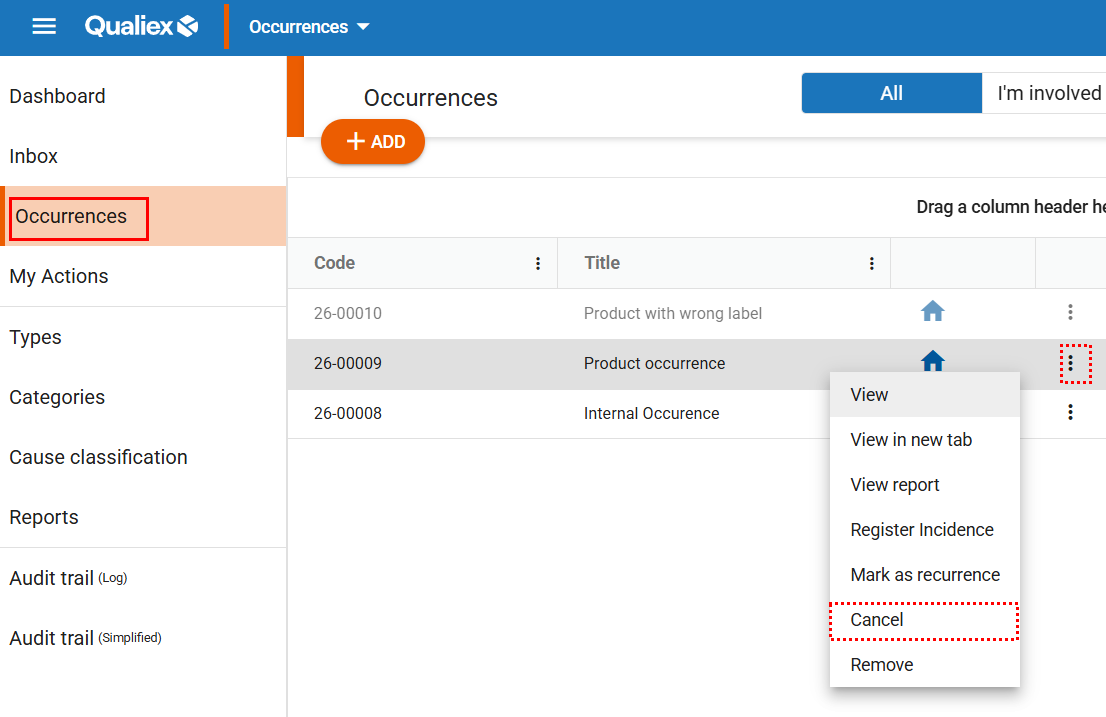
Locate the occurrence you want to cancel, right‑click on it, and select “Cancel” from the menu that appears.
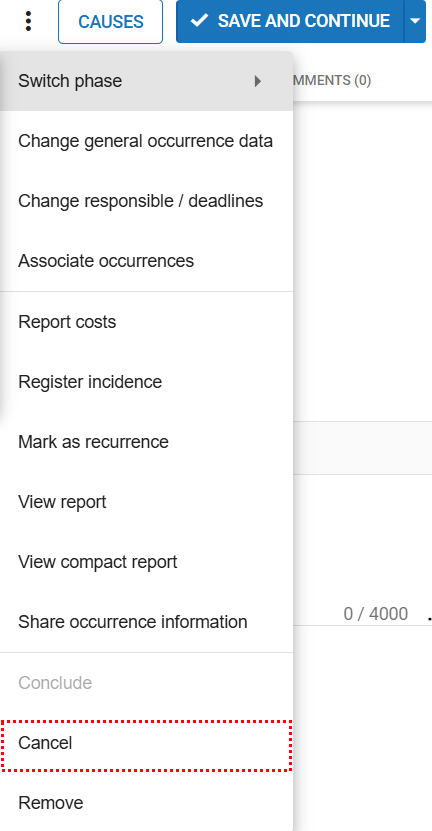
2. Inside the occurrence you want to cancel, click the context menu  icon and select the option “Cancel.”
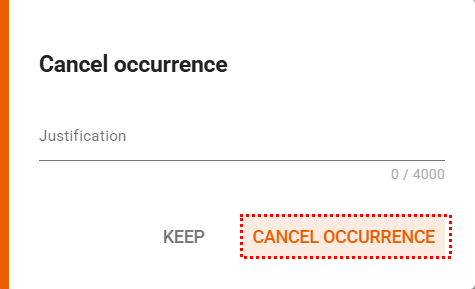
When you select the “Cancel” option, a window will appear for you to enter the justification. After providing the reason, click “Cancel Occurrence” to complete the process.
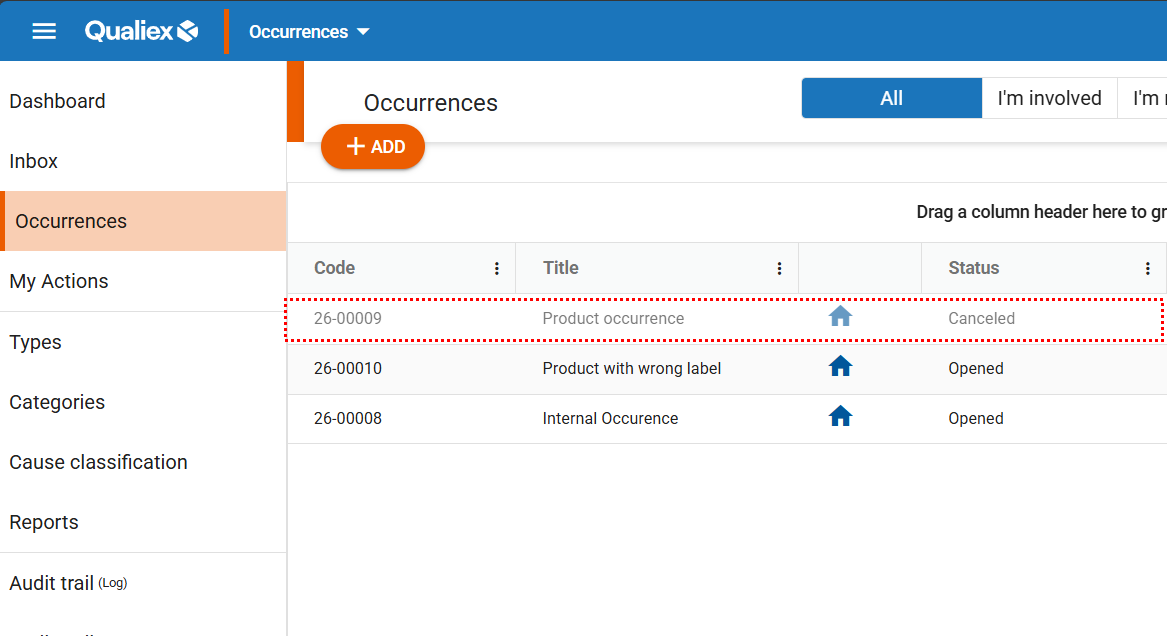
Occurrences that have been canceled are visually highlighted and display the current step as “Canceled.”
Occurrence History
If a justification is entered at the time of cancellation, it will be recorded in the occurrence’s history.