---
title: How to Add Comments to an Occurrence?
description: How to Add Comments to an Occurrence?
---
[Skip to content](https://qualiex.forlogic.net/en/how-to-add-comments-to-an-occurrence#main-content)

Open main navigation
Close main navigation
How can we help you?
- There are no suggestions because the search field is empty.
1. [Qualiex | Knowledge Base](https://qualiex.forlogic.net/en?hsLang=en)
2. [Occurences](https://qualiex.forlogic.net/en/occurences?hsLang=en)
3. [General information](https://qualiex.forlogic.net/en/occurences?hsLang=en#general-information)
# How to Add Comments to an Occurrence?
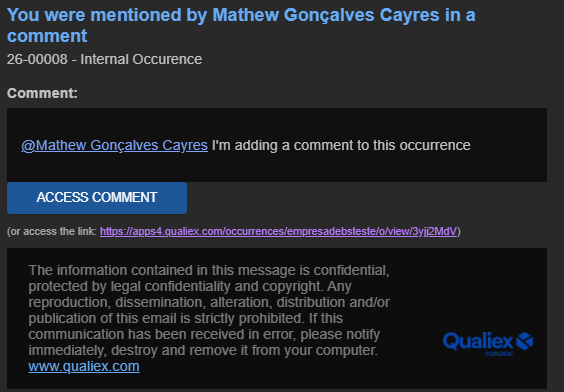
After registering an occurrence, you can add comments and mention collaborators to notify them by email.
This feature allows you to interact with the involved parties or keep others informed of relevant details, regardless of the stage the occurrence is currently in.
### Accessing the Module
Click here to learn how to access the **Occurrences** module in Qualiex.
### Adding Comments to the Occurrence
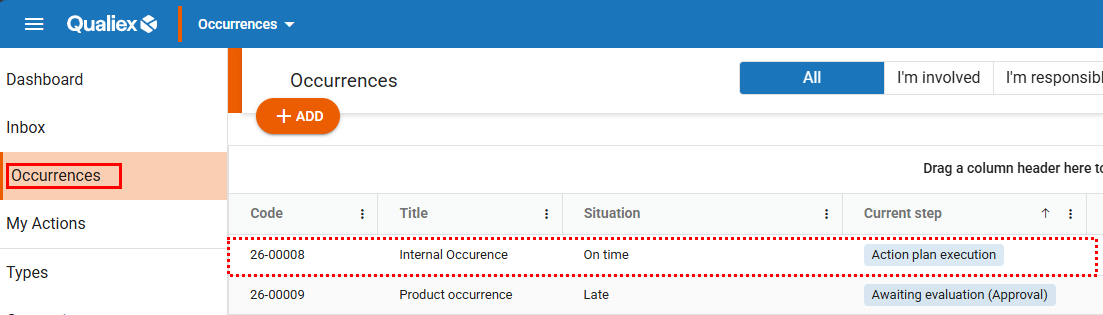
Go to the **Occurrences** tab and then click on the occurrence in which you want to add a comment.
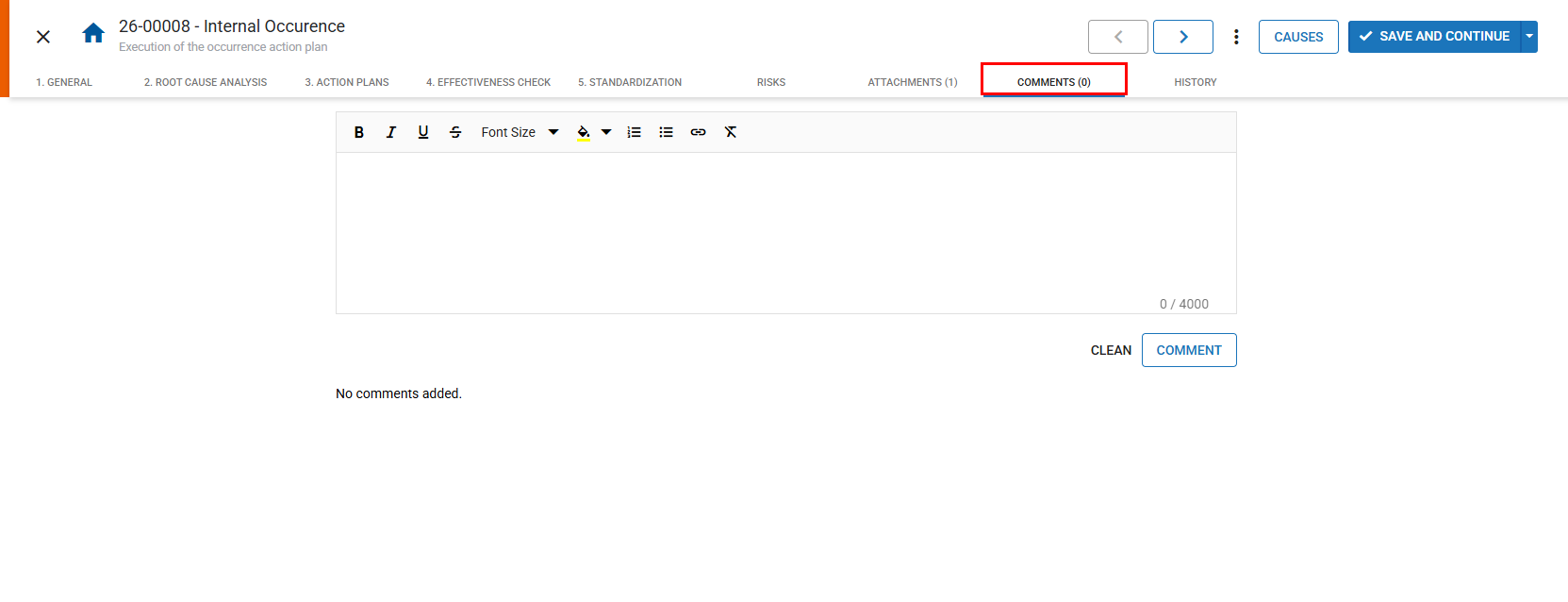
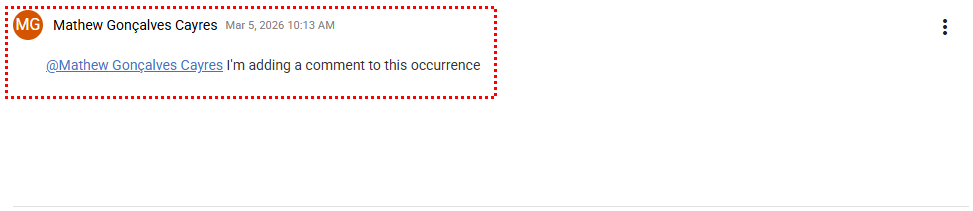
When accessing the occurrence, go to the **“Comments”** tab.
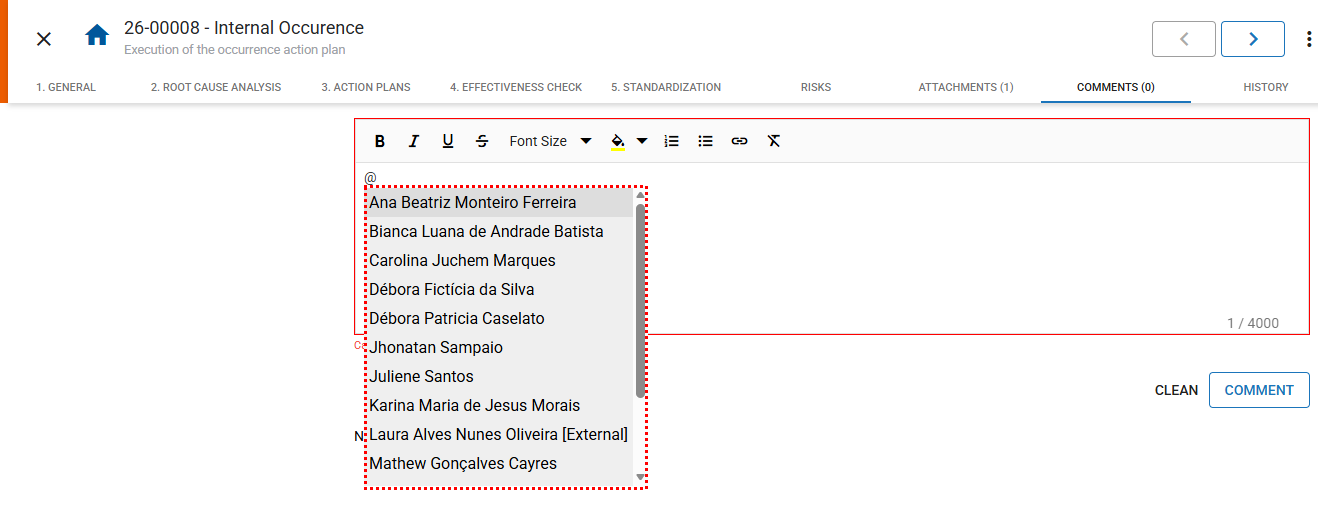
Type the desired comment.
To mention a responsible user and notify them by email, simply type **"@"** and select the user’s name.
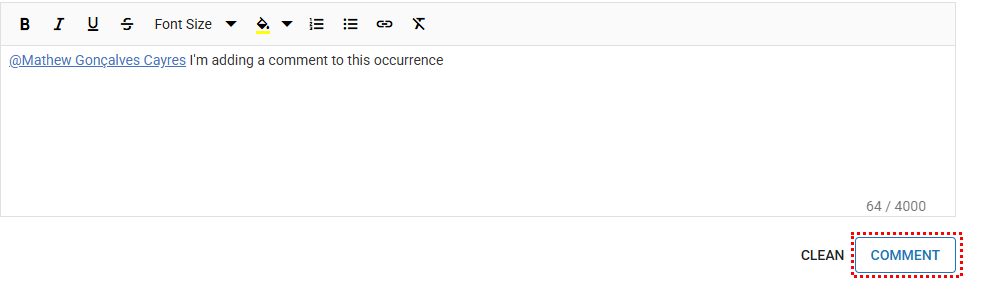
The name will appear **underlined** once selected.
After selecting the collaborator, click **“Comment”** to finalize.
Thus, all comments made on the occurrence will be displayed in this section, regardless of the stage it is currently in.
The mentioned collaborator will receive an email notification, as illustrated below:
- [Occurences](https://qualiex.forlogic.net/en/occurences?hsLang=en#main-content)
- [Treating an occurence guide](https://qualiex.forlogic.net/en/occurences?hsLang=en#treating-an-occurence-guide)
- [Register Occurence](https://qualiex.forlogic.net/en/occurences?hsLang=en#register-occurence)
- [Inbox](https://qualiex.forlogic.net/en/occurences?hsLang=en#inbox)
- [Cause analysis](https://qualiex.forlogic.net/en/occurences?hsLang=en#cause-analysis)
- [Action plan elaboration and execution](https://qualiex.forlogic.net/en/occurences?hsLang=en#action-plan-elaboration-and-execution)
- [Effectiveness check](https://qualiex.forlogic.net/en/occurences?hsLang=en#effectiveness-check)
- [Standardization and disclosure](https://qualiex.forlogic.net/en/occurences?hsLang=en#standardization-and-disclosure)
- [Overview](https://qualiex.forlogic.net/en/occurences?hsLang=en#overview)
- [General information](https://qualiex.forlogic.net/en/occurences?hsLang=en#general-information)
- [My Actions](https://qualiex.forlogic.net/en/occurences?hsLang=en#my-actions)
- [Cause classification](https://qualiex.forlogic.net/en/occurences?hsLang=en#cause-classification)
- [Occurences Categories](https://qualiex.forlogic.net/en/occurences?hsLang=en#occurences-categories)
- [Types of occurrences](https://qualiex.forlogic.net/en/occurences?hsLang=en#types-of-occurrences)
- [Module Configurations](https://qualiex.forlogic.net/en/occurences?hsLang=en#module-configurations)
- [Reports](https://qualiex.forlogic.net/en/occurences?hsLang=en#reports)
[](https://qualiex.com/)
[mailto:contato@forlogic.net](mailto:contato@forlogic.net)
Copyright © 2026