---
title: How to access the Qualiex Occurrences Module?
description: How to access the Qualiex Occurrences Module?
---
[Skip to content](https://qualiex.forlogic.net/en/how-to-access-the-qualiex-occurrences-module-#main-content)

Open main navigation
Close main navigation
How can we help you?
- There are no suggestions because the search field is empty.
1. [Qualiex | Knowledge Base](https://qualiex.forlogic.net/en?hsLang=en)
2. [Occurences](https://qualiex.forlogic.net/en/occurences?hsLang=en)
3. [General information](https://qualiex.forlogic.net/en/occurences?hsLang=en#general-information)
# How to access the Qualiex Occurrences Module?
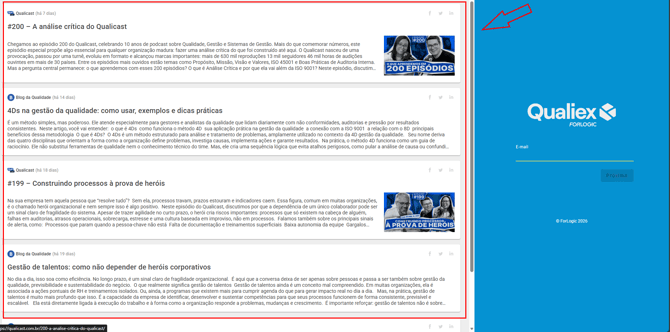
To access the Occurrences module, [click here to log in to Qualiex.](https://login.qualiex.com/) The page for entering your login credentials will open.
On the left side of the screen, you will find a shortcut to the latest [Blog da Qualidade](https://blogdaqualidade.com.br/?__hstc=195151411.eba22a387f25936e747f3ec0230eaa4f.1759240677559.1770722358604.1770727043230.15&__hssc=195151411.1.1770727043230&__hsfp=6dc7ac9cf2de668e560e08a7d7b7f58b) articles and [Qualicast](https://qualicast.com.br/?__hstc=195151411.eba22a387f25936e747f3ec0230eaa4f.1759240677559.1770722358604.1770727043230.15&__hssc=195151411.1.1770727043230&__hsfp=6dc7ac9cf2de668e560e08a7d7b7f58b) episodes, so you won’t miss anything!
### 1. Login to Qualiex
Enter your email address (the one you use at work) in the “Email” field, and click  to proceed.
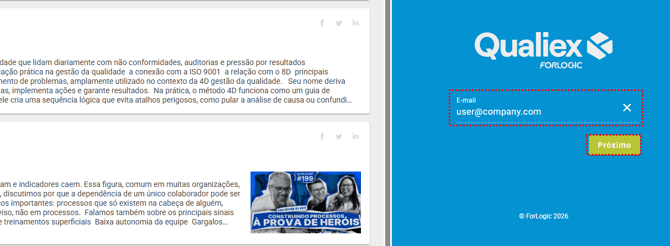
*If you experience any difficulty, contact the person responsible for Qualiex in your company.*
To log in, enter the password you have previously set in the “Password” field, and then click  to continue.
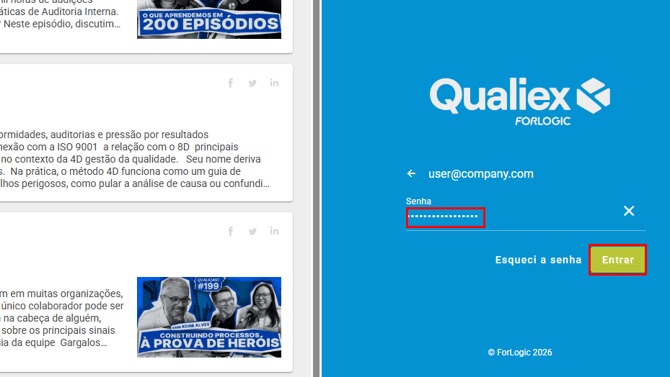
*Your password is encrypted and only you have access to it, and all your actions are logged. For this reason, do not share your account credentials.*
### 2. Locate the module for access
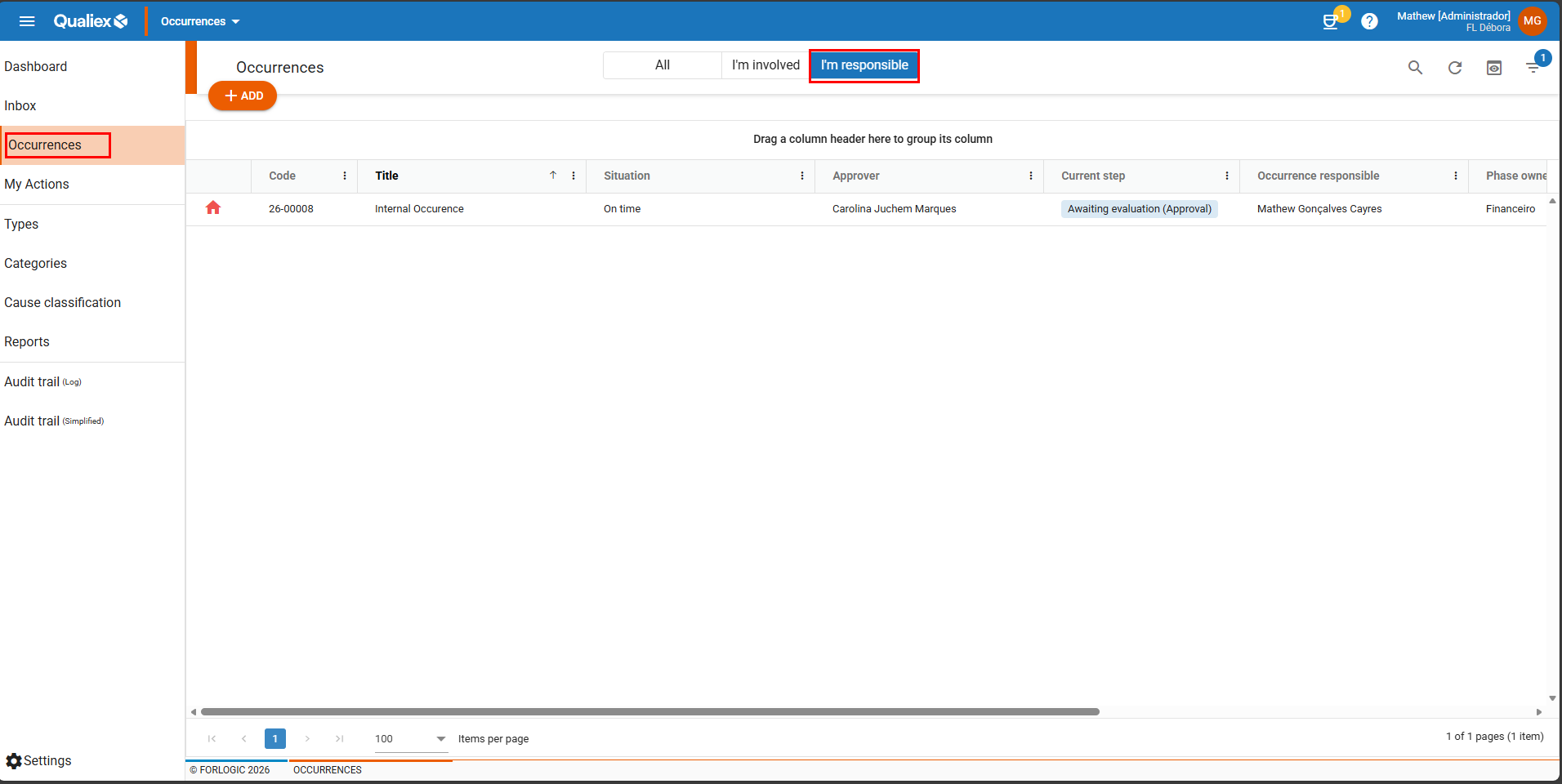
After logging in, you will have access to the dashboards of the classic modules. To proceed to the Occurrences module, click on the “Dashboard” menu and then select “Occurrences” (as shown in the image below).
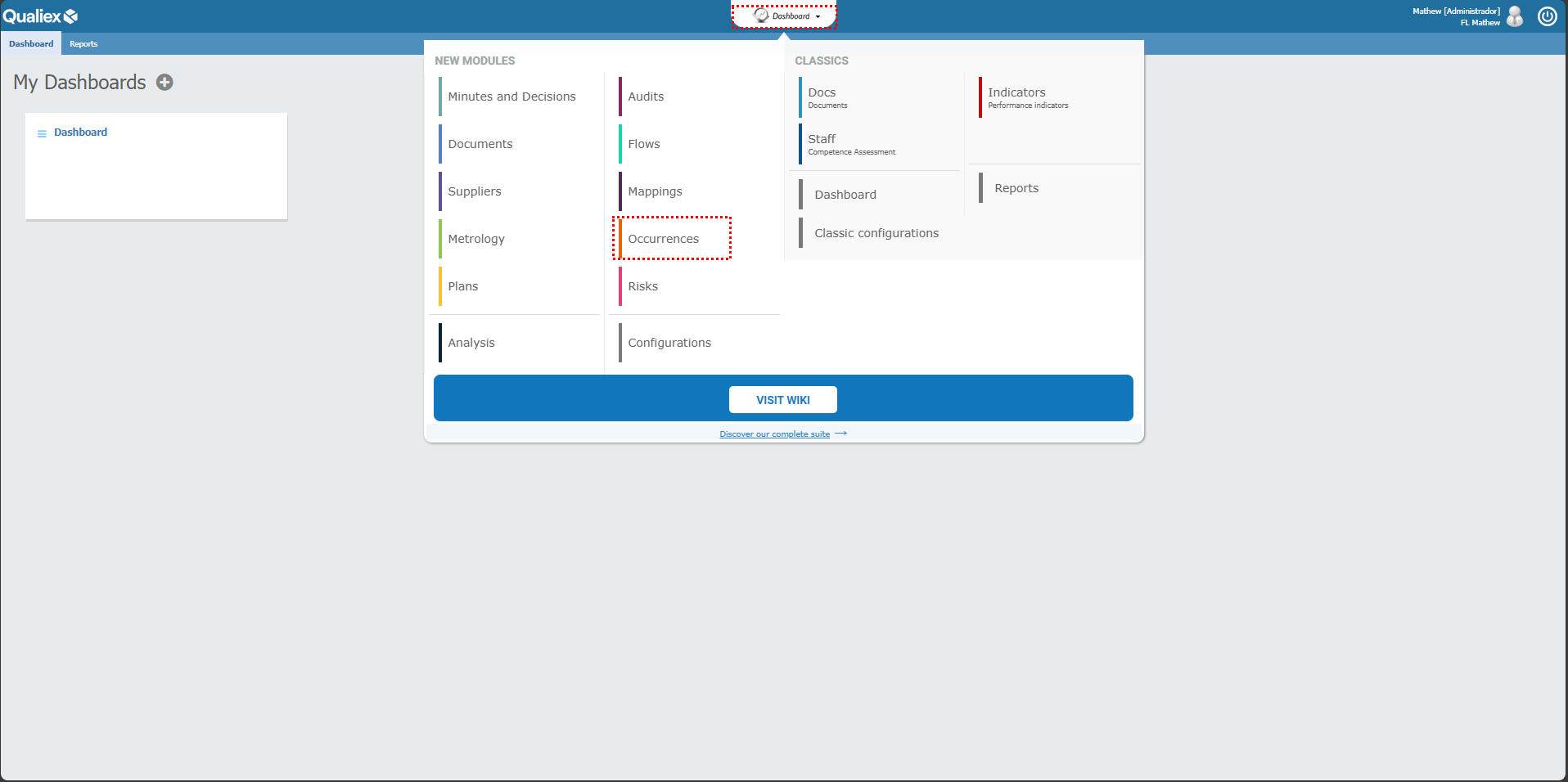
When you access the module, you will see the occurrences that are under your responsibility and have not yet been completed.
- [Occurences](https://qualiex.forlogic.net/en/occurences?hsLang=en#main-content)
- [Treating an occurence guide](https://qualiex.forlogic.net/en/occurences?hsLang=en#treating-an-occurence-guide)
- [Register Occurence](https://qualiex.forlogic.net/en/occurences?hsLang=en#register-occurence)
- [Inbox](https://qualiex.forlogic.net/en/occurences?hsLang=en#inbox)
- [Cause analysis](https://qualiex.forlogic.net/en/occurences?hsLang=en#cause-analysis)
- [Action plan elaboration and execution](https://qualiex.forlogic.net/en/occurences?hsLang=en#action-plan-elaboration-and-execution)
- [Effectiveness check](https://qualiex.forlogic.net/en/occurences?hsLang=en#effectiveness-check)
- [Standardization and disclosure](https://qualiex.forlogic.net/en/occurences?hsLang=en#standardization-and-disclosure)
- [Overview](https://qualiex.forlogic.net/en/occurences?hsLang=en#overview)
- [General information](https://qualiex.forlogic.net/en/occurences?hsLang=en#general-information)
- [My Actions](https://qualiex.forlogic.net/en/occurences?hsLang=en#my-actions)
- [Cause classification](https://qualiex.forlogic.net/en/occurences?hsLang=en#cause-classification)
- [Occurences Categories](https://qualiex.forlogic.net/en/occurences?hsLang=en#occurences-categories)
- [Types of occurrences](https://qualiex.forlogic.net/en/occurences?hsLang=en#types-of-occurrences)
- [Module Configurations](https://qualiex.forlogic.net/en/occurences?hsLang=en#module-configurations)
- [Reports](https://qualiex.forlogic.net/en/occurences?hsLang=en#reports)
[](https://qualiex.com/)
[mailto:contato@forlogic.net](mailto:contato@forlogic.net)
Copyright © 2026